Home »
Best Private Browsers
Should we make it short? Why not!
So, the Firefox browser is for people who care about privacy. This is because Firefox provides protection, while NOT making it hard to use the internet. Brave is really fast. It also blocks ads, which is nice. Tor Browser is the best if you want to be anonymous online.
Your browser finds out a lot of things about you. It knows what websites you go to, what you search for, what your IP address is, what kind of device you use, and how you navigate through websites - scary, right? So choosing the browser is really important for keeping your information private.
In this article, we will check different browsers and choose the leaders together.
Let's get into it!:)
- Why Your Browser Choice Defines Your Online Privacy
- The Best Private Browsers — Ranked and Reviewed
- Firefox — Best Private Browser for Most Users
- Brave — Fastest Secure Browser with Built-In Ad Blocking
- Tor Browser — Most Anonymous and Encrypted Browser
- LibreWolf — Best Private Firefox Fork for Desktop
- DuckDuckGo Browser — Best Private Browser App for Mobile
- Mullvad Browser — Fastest Alternative to Tor
- Private Browsers Compared — Side-by-Side Table
- Best Private Browser by Device
- What Browsers Should You Avoid for Privacy?
- Does Private Browsing Mode Actually Keep You Private?
- Private Browser + VPN — The Strongest Combination
- FAQ — Private and Secure Browsers
Why Your Browser Choice Defines Your Online Privacy
Most browsers collect data in the background. Some track your browsing habits for ads. Others collect telemetry and share usage data with their company.
Here’s what many browsers can collect:
| What browsers collect | Why it matters |
| Cookies | Track you across websites |
| Browser fingerprint | Identifies your device |
| Telemetry | Sends data back to the browser company |
| WebRTC data | Can leak your IP address |
| Search history | Helps build ad profiles |
A VPN helps hide your traffic from your ISP, but it does not stop trackers inside your browser. Websites can still follow you using cookies, fingerprinting, and tracking scripts.
That’s why secure internet browsing usually needs both a VPN and a privacy browser.
What Makes a Browser Truly Private?
The best private browsers usually include:
- Built-in tracker blocking
- Anti-fingerprinting protection
- Secure HTTPS connections
- Little or no telemetry
- DNS over HTTPS
- Open-source code
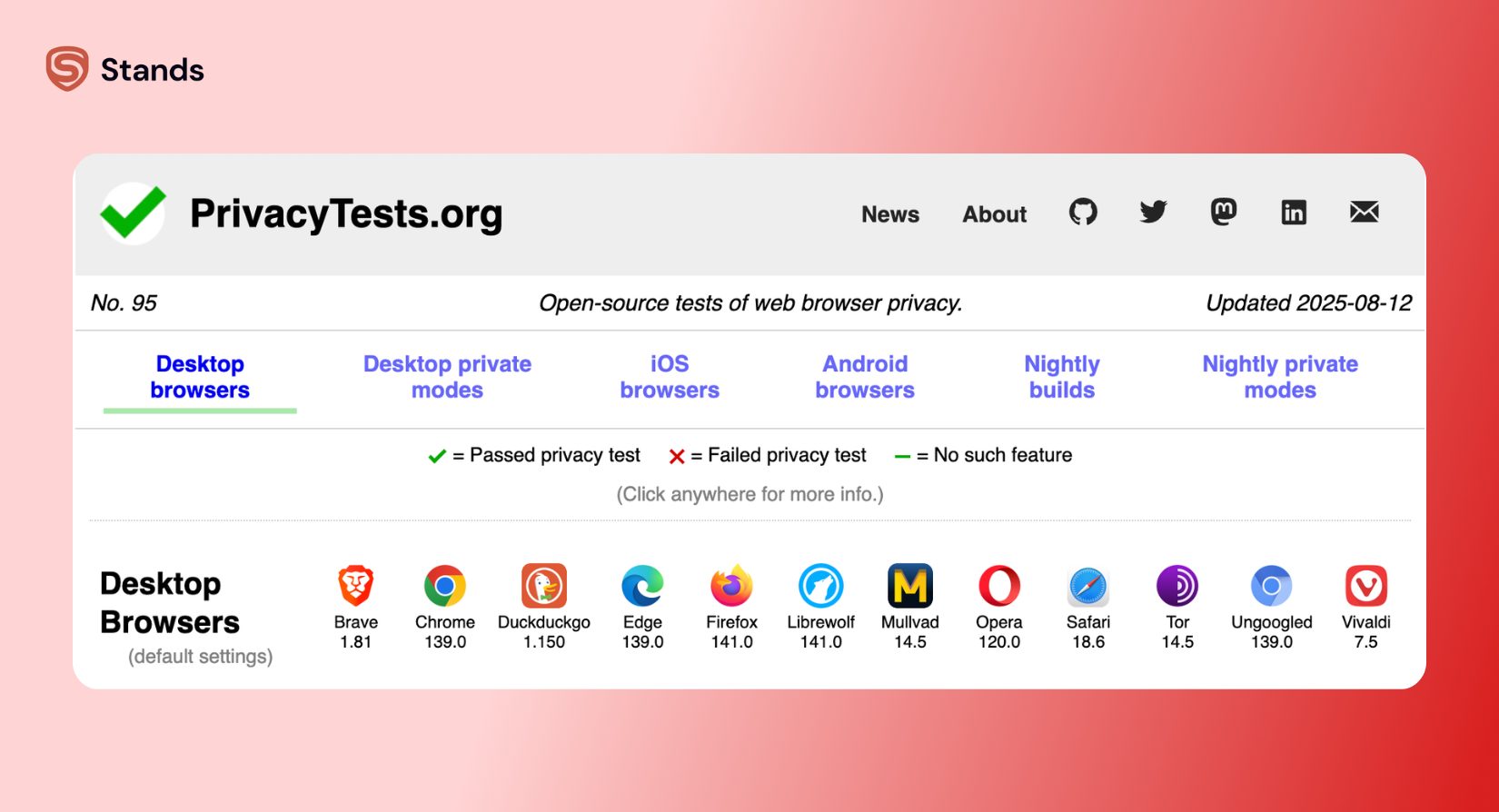
Sites like PrivacyTests.org help compare browsers and show which ones actually protect your privacy.
Private Browser vs Secure Browser — What's the Difference?
A private browser focuses on stopping tracking and protecting your personal data.
A secure browser focuses on blocking dangerous websites, malware, and phishing attacks.
The best secure browsers usually do both.
The Best Private Browsers — Ranked and Reviewed
We compared browsers using privacy tests, built-in protections, speed, ease of use, and support across desktop and mobile devices.
Firefox — Best Private Browser for Most Users
Firefox is still one of the best browsers for privacy because it gives strong protection without breaking websites.
It blocks:
- Third-party trackers
- Fingerprinting scripts
- Crypto miners
Firefox also supports privacy tools like uBlock Origin for extra ad and tracker blocking.
| Firefox ratings | Score |
| Privacy | 9/10 |
| Speed | 8/10 |
| Ease of use | 9/10 |
For better privacy, turn off telemetry in settings and enable strict tracking protection.
If you use Firefox often, adding an Ad Block for Firefox by StandsApp helps block even more tracking content.
Brave — Fastest Secure Browser with Built-In Ad Blocking
Brave feels a lot like Chrome, but without most of the tracking.
Its built-in Shields feature blocks:
- Ads
- Trackers
- Fingerprinting attempts
| Brave ratings | Score |
| Privacy | 9/10 |
| Speed | 9/10 |
| Ease of use | 10/10 |
Brave is one of the easiest browsers to switch to if you already use Chrome.
Tor Browser — Most Anonymous and Encrypted Browser
Tor Browser is the best choice for anonymity.
Instead of connecting directly to websites, it routes your traffic through several encrypted servers. This makes tracking much harder.
| Tor strengths | Details |
| Privacy | Excellent |
| Tracker blocking | Excellent |
| Fingerprinting protection | Very strong |
| Speed | Slow |
Tor is great for people with serious privacy concerns, but it’s slower than normal browsers.
LibreWolf — Best Private Firefox Fork for Desktop
LibreWolf is a privacy-focused version of Firefox with stronger settings turned on by default.
It includes:
- No telemetry
- Strong tracker blocking
- Better anti-fingerprinting protection
- Secure privacy settings out of the box
It’s a strong option if you want a private desktop browser without changing lots of settings yourself.
DuckDuckGo Browser — Best Private Browser App for Mobile
DuckDuckGo Browser is simple and easy to use.
Its “Fire Button” clears tabs, cookies, and browsing data with one tap.
| DuckDuckGo Browser features | Details |
| Tracker blocking | Built in |
| Ease of use | Very simple |
| Mobile support | Android and iPhone |
| Private search | Included |
It’s a good choice for people who mainly browse on mobile devices.
Mullvad Browser — Fastest Alternative to Tor
Mullvad Browser mixes strong privacy protection with normal browsing speed.
It includes:
- Permanent private browsing mode
- Strong anti-fingerprinting tools
- Tracker blocking
If Tor feels too slow, Mullvad Browser is a great middle ground.
Private Browsers Compared — Side-by-Side Table
| Browser | Engine | Ad Blocking | Mobile App | Best for |
| Firefox | Gecko | Partial | Yes | Everyday privacy |
| Brave | Chromium | Yes | Yes | Fast secure browsing |
| Tor Browser | Firefox ESR | Strong | Yes | Maximum anonymity |
| LibreWolf | Gecko | Strong | No | Desktop privacy |
| DuckDuckGo Browser | WebKit/Chromium | Yes | Yes | Mobile privacy |
| Mullvad Browser | Firefox ESR | Strong | Limited | Anti-fingerprinting |
Best Private Browser by Device
Best Private Browser for Windows and PC
Firefox and Brave are still the best secure browsers for most Windows users.
Firefox gives more customization. Brave is easier to set up.
If you want maximum privacy, LibreWolf is one of the safest browsers for Windows right now.
Best Private Browser for Android
Brave and DuckDuckGo Browser are excellent choices for Android because they include strong tracker blocking and simple privacy settings.
Firefox is also good if you want privacy extensions.
Best Private Browser for iPhone and iOS
Apple limits what browsers can do on iPhone, but Brave and DuckDuckGo Browser still offer better privacy protection than Safari.
What Browsers Should You Avoid for Privacy?
| Browser | Main privacy problem |
| Google Chrome | Heavy tracking and data collection |
| Microsoft Edge | Microsoft telemetry |
| Opera | Data-sharing concerns |
| Safari | Fewer privacy tools |
You can test your current browser here:
Does Private Browsing Mode Actually Keep You Private?
Private browsing mode helps a little, but it does not make you anonymous online.
| What incognito hides | What it does NOT hide |
| Local browsing history | Your IP address |
| Cookies after the session | Your ISP |
| Temporary session data | Websites you visit |
| Open tabs after closing | Browser fingerprinting |
If you want real privacy, use a private browser with tracker blocking and anti-fingerprinting tools.
Private Browser + VPN — The Strongest Combination
A VPN and a private browser protect different things.
| Tool | What it protects |
| VPN | Hides your IP address and encrypts traffic |
| Private browser | Blocks trackers and fingerprinting |
Using both together gives much better online privacy.
Split tunneling gives you speed and flexibility, but traffic outside the VPN can still be tracked by advertisers. A browser-level blocker like Stands helps close that gap by blocking ads and trackers directly in your browser. Takes about 30 seconds to install.

You can also read:
FAQ — Private and Secure Browsers
What is the safest browser for Windows?
LibreWolf and Firefox are among the safest browsers for Windows because they offer strong privacy protection and very little telemetry.
What is the safest browser for iPhone?
Brave and DuckDuckGo Browser are two of the best private browsers for iPhone users.
Is incognito mode the same as private browsing?
Yes. Incognito mode is simply Chrome’s name for private browsing mode.
Does a private browser hide my IP address?
Usually no. You still need a VPN or Tor Browser to hide your IP address.
What is the best non-tracking browser?
Firefox, Brave, LibreWolf, and Tor Browser are currently the best non-tracking browsers for privacy-focused users.