Home »
Is Avast Safe? Honest Insights for Users
Avast is one of the most popular antivirus tools in the world, with millions of people using it every day on computers and phones. Some use it because it’s free. Others use it because they’ve heard the name for years. At the same time, many users ask questions like "is Avast safe", "is Avast antivirus legit", or "is Avast trustworthy".
Well, these questions do make sense. Antivirus software runs deep inside your device. It can see files, websites, and sometimes personal data. So it’s normal to want clear answers.
This article explains what Avast is, how it works, what it protects, and whether the free and paid versions are safe to use. Let's get started! :)
What Is Avast and How Does It Work?
Avast is a company that makes antivirus software. It works on:
- Windows
- macOS
- Android
- iOS
Avast has been around for many years, and it is not a new or unknown brand. It works by scanning your device for threats. Avast looks at:
- Files on your device
- Apps you install
- Files you download
- Websites you visit
It checks these things in two ways. First, it compares them to a list of known viruses. Second, it watches how files behave. If a file starts acting like malware, Avast simply blocks it.
This protection runs all the time, and it is called real-time protection. You do not need to start scans manually for basic safety.
Avast offers three main products:
- Avast Free Antivirus
- Avast One (a package with more tools)
Most people start with the free version.
Is Avast Safe to Use? Security and Privacy Overview
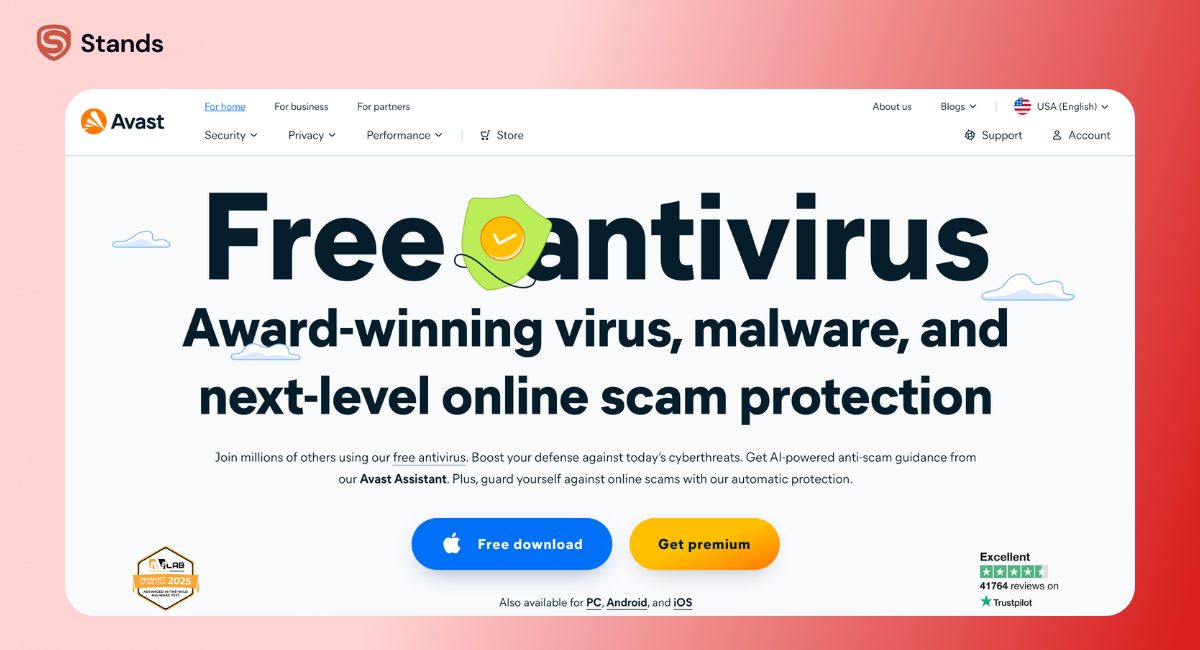
From a security point of view, Avast antivirus is safe to use. It is often tested by independent testing groups such as AV-Test, AV-Comparatives, and SE Labs.
These groups test antivirus software against real threats. Not just old viruses, but also new malware and phishing attacks. Avast usually performs well in these tests.
Avast is strong in:
- Malware detection
- Blocking viruses in real time
- Protecting against phishing websites
Privacy explained in simple terms
Avast had privacy problems in the past. A few years ago, it was linked to selling anonymized browsing data. This caused many users to ask if Avast is legit and if Avast is reliable.
Here is what matters today:
- That data program was stopped
- Avast changed its privacy rules
- Users now have more control
Avast still collects some basic data. This includes things like app usage and crash reports, and this is common for antivirus software. Avast does not sell personally identifiable information today.
Avast is now considered a legitimate and trustworthy antivirus provider. Still, it’s always a good idea to review privacy settings during setup.
Key Features That Protect Users
Avast includes many security features. Some are free, while others are only available with a paid plan:
Avast key features overview
| Feature | Free Version | Paid Plans |
| Real-time malware protection | Yes | Yes |
| Phishing protection | Yes | Yes |
| Network Inspector | Yes | Yes |
| Firewall | No | Yes |
| Ransomware protection | No | Yes |
| SecureLine VPN | No | Yes |
| Breach monitoring | No | Yes |
| Password manager | Limited | Full |
Real-Time Malware Protection
This is the most important feature. Avast scans files when you open or download them. If malware is found, Avast blocks it right away.
This helps protect against:
- Viruses
- Spyware
- Trojans
- Unsafe downloads
Many people think only programs can carry malware, but that’s not true. Even documents can be risky. Files like PDFs can hide threats. That’s why scanning matters, and this article explains it clearly: Can a PDF Have a Virus.
Ransomware and Phishing Protection
Ransomware locks your files and demands money. Avast blocks ransomware in its paid plans. It stops unknown apps from changing important folders.
Phishing protection is included in the free plan. Avast blocks fake websites that try to steal:
- Passwords
- Credit card details
- Login information
This protection works while browsing and when clicking links from emails or ads. It also blocks many malicious websites automatically.
Firewall and Network Security
Paid Avast plans include a firewall, which controls how apps connect to the internet. It helps stop unwanted connections.
Avast also includes a Network Inspector. It scans your Wi-Fi network and looks for:
- Weak router passwords
- Open network ports
- Unsecured connected devices
This is useful at home and at work, especially if you use smart devices.
Everyday websites and apps
Many people don’t install antivirus software because of “hackers.” They install it because they are unsure about the things they see online every day. New shopping apps, ads on social media, and links shared in emails all raise the same basic question: is this safe to click?
A good example is Temu. It became popular very fast, which led many users to search whether it was safe before downloading or shopping. In our article Is Temu Legit or a Scam we explain what to look for when judging new platforms, such as data handling, permissions, and app behavior.
This is where antivirus software plays a supporting role. Avast cannot decide if a company is trustworthy, but it can block technical risks linked to unfamiliar sites. That includes malicious ads, fake download pages, and phishing links that sometimes appear around popular or fast-growing platforms.

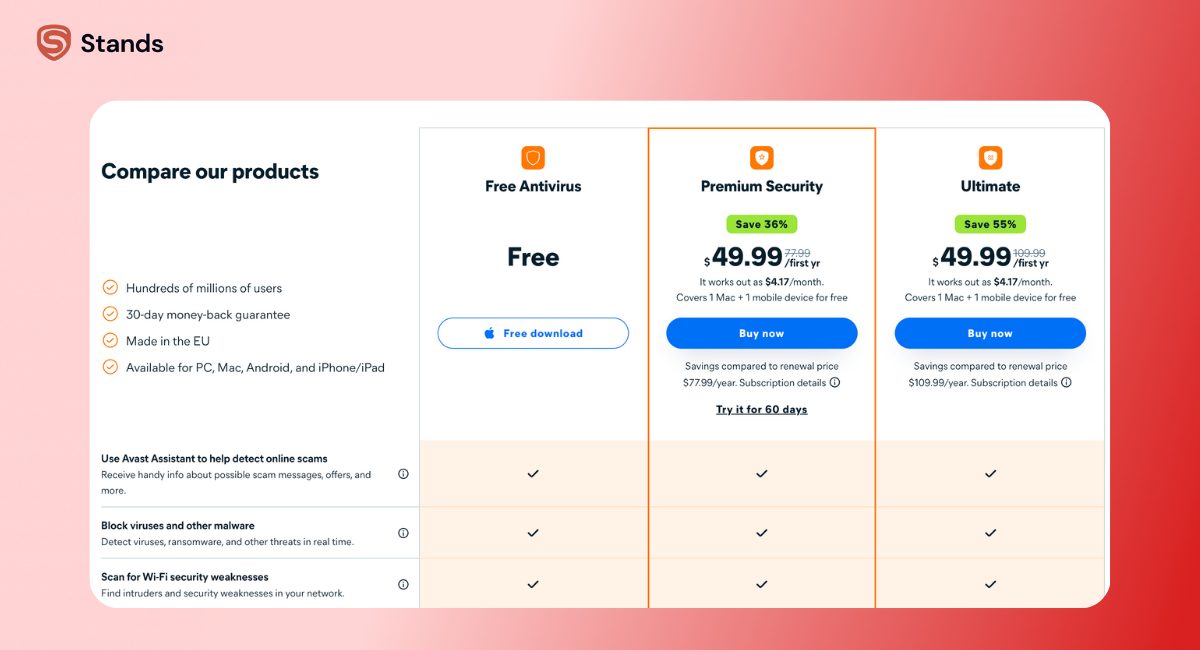
Free vs Premium: Is Avast Free Antivirus Safe Enough?
A very common question is whether Avast free antivirus is safe. The simple answer is yes.
Avast Free Antivirus is legitimate software, and it provides real protection.
What the free version includes
- Real-time virus and malware protection
- Phishing protection
- Warnings for unsafe downloads
- Network security scans
What you only get with paid plans
- Firewall
- Ransomware protection
- VPN
- Breach and identity monitoring
Which version should you choose?
It depends on your needs, the type of browsing you do, how many devices you use, and so on. Below you will find a simple summary of which version will be the best, depending on the type of user:
| User type | Best choice |
| Light browsing | Free version |
| Online shopping or banking | Premium Security |
| Family with many devices | Avast One |
| Public Wi-Fi use | Paid plan with VPN |
For many people, the free version is enough. If you store sensitive data or shop online often, a paid plan adds extra safety, so you may want to consider it.
User Experience and Reliability
Avast is really easy to install. Most users can set it up in a few minutes as the interface is clear and simple.
Scans usually run in the background. They do not slow down most devices.
Some users report:
- Upgrade reminders
These are not security problems, but marketing messages. Still, they can be annoying :)
Using a browser tool like a pop-up blocker can reduce distractions while browsing.
For people who want simple advice about online safety and privacy, Stands offers helpful tools and guides focused on cleaner browsing.

Unique Considerations: What Sets Avast Apart?
Avast stands out because its free version offers real protection. Many antivirus programs limit free users much more.
Other things worth noting:
- Good results in independent antivirus testing
- Works on computers and mobile devices
- Optional extras like VPN and a secure browser
Avast also offers a password manager and breach monitoring in paid plans. These help protect sensitive data and alert users if their information appears in a data breach.
That said, Avast may not be perfect for everyone. Users who want fewer notifications or stronger privacy by default may prefer other setups. In that case, combining antivirus software with an ad and tracker blocker like Stands AdBlocker can improve the experience.
If you like checking tools before using them, these articles may also help:
FAQ
Is Avast really safe to use in 2026?
Yes. Avast is safe to use in 2026. It continues to perform well in antivirus tests and protects against modern threats.
Does Avast sell user data?
No. Avast stopped selling browsing data. It still collects limited usage data, which is common for antivirus software.
Is Avast free antivirus enough?
For basic protection, yes. It blocks malware and phishing. Users who want more features may choose paid plans.
How does Avast compare to other antivirus brands?
Avast compares well with other top antivirus programs. It offers strong protection and many features, though some competitors focus more on privacy or fewer alerts.
What are the main features of Avast antivirus?
Main features include real-time malware protection, phishing protection, Network Inspector, firewall (paid), SecureLine VPN, password manager, and breach monitoring.
Conclusion
Is Avast safe? Yes. Avast is a legitimate and reliable antivirus solution. It offers strong malware protection and useful security features. While it had privacy issues in the past, those issues were addressed.
The free version works well for basic protection. Paid plans add extra layers of security for users who need more. Checking settings and using safe browsing tools along with Avast is the best way to stay protected.
We hope this guide helped you decide whether Avast is the right choice. Browse smart and stay safe! :)