
 Home »
Why Does YouTube Keep Pausing? 12 Proven Fixes for 2026
Most of the time, your YouTube video stops due to a poor internet connection, YT's built-in break timers, or old browser extensions running in the background. In 2026, YouTube's anti adblock scripts can also pause your show at the most interesting moment if they spot an outdated ad blocker trying to filter content. Let's identify the exact cause to start binge-watching YouTube without issues.:)
12 Common Reasons Why YouTube Randomly Pauses Videos
I tested every fix on my own devices to find out why videos keep stopping. Playback needs a steady internet connection, healthy hardware, and working browser extensions. When any of these break, YouTube pauses to save data or ask if you are still watching.
Category 1: Platform-Specific Features (Settings)
I noticed built-in YouTube settings often cause an unexpected YouTube auto-pause during long watch sessions.
- Remind Me to Take a Break: I turned on this timer and confirmed it stops your video at set times. You can change it under Settings > General > Remind me to take a break using YouTube's official Take a Break setup guide.
- Video Paused. Continue Watching?: YouTube uses a background YouTube idle timer to save bandwidth. When I left my browser tab alone, YouTube asked if I was still there, as seen in Reddit's thread on the continue watching popup.
- Data Saver & Battery Saver Mode: On my phone, battery saver limits background data. When my battery dropped during testing, my video stream paused right away.

Category 2: Technical & Connectivity Issues
I also checked hardware problems that disrupt video playback.
- Poor Internet & Buffering: Weak Wi-Fi forced my player to stop and load. This happens much more often when I stream heavy 4K videos.
- Faulty Headphones or Audio Port: Audio drivers watch your headphone jack. When I wiggled my headphone wire loose, my computer paused the video instantly.
Category 3: The Adblocker & Browser Factor
My browser setup and active extensions played a big role in video playback stops.
YouTube Anti-Adblock Detection: Old ad blockers pause videos when YouTube updates its code. If your screen goes completely black, read our guide on YouTube videos not playing.
Browser Extension Conflicts: When I ran two ad blockers at once, they fought each other. Their rules blocked the player from loading the next video segment.

How to Stop YouTube from Pausing Automatically?
When I see people ask why my YouTube keeps pausing, I always send them these simple steps to fix it. You can easily fix unwanted stops by changing a few app and browser settings.
Disable the Idle-Pause Prompt
In my tests, YouTube's break timer was the biggest problem. I turned off these pop-up reminders in my phone settings.
- Open the YouTube app and tap your Profile Icon.
- Go to Settings > General.
- Find Remind me to take a break and switch it off.
- Turn off Remind me when it's bedtime using YouTube's bedtime reminder guide to stop night pauses.
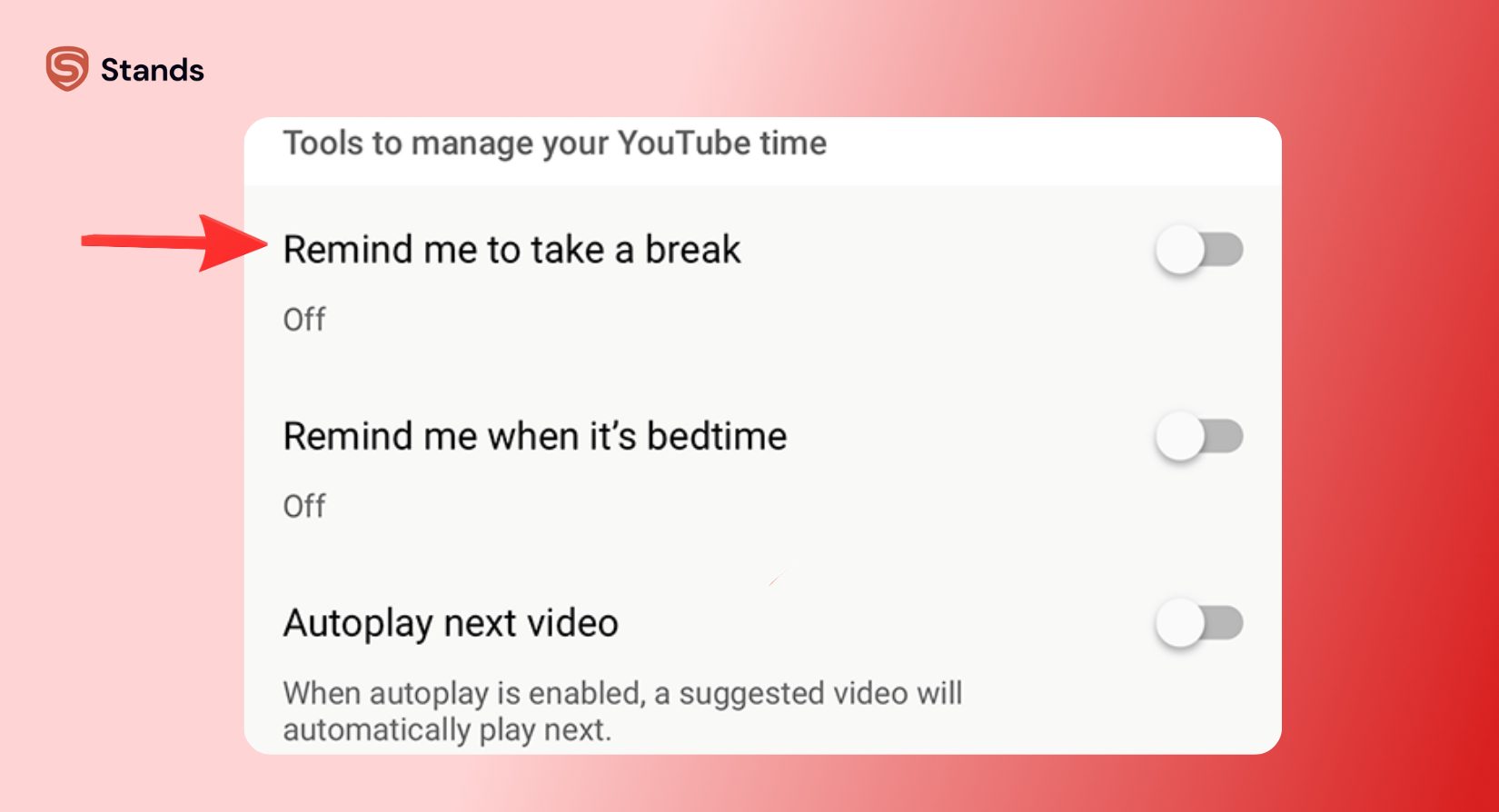
Turning off these settings stopped the video paused continue watching message from interrupting my videos.
Update or Replace Outdated Ad-Blocking Extensions
Websites constantly update how they show ads. I saw older ad blockers crash on Server-Side Ad Insertion (SSAI), which froze my video player.
- Turn on Developer Mode and click Update to get fresh filters.
- If videos still pause, switch to an ad blocker updated for Manifest V3.
Keeping filter rules updated helps your ad blocker run smoothly without breaking playback.
Adjust Chrome Memory Saver Settings
Chrome can pause background tabs while you work in other windows.
- Click the three dots in Chrome and pick Settings > Performance.
- Find Always keep these sites active under the General.
- Click Add next to Always keep these sites active.
- Type youtube.com into the box and save.
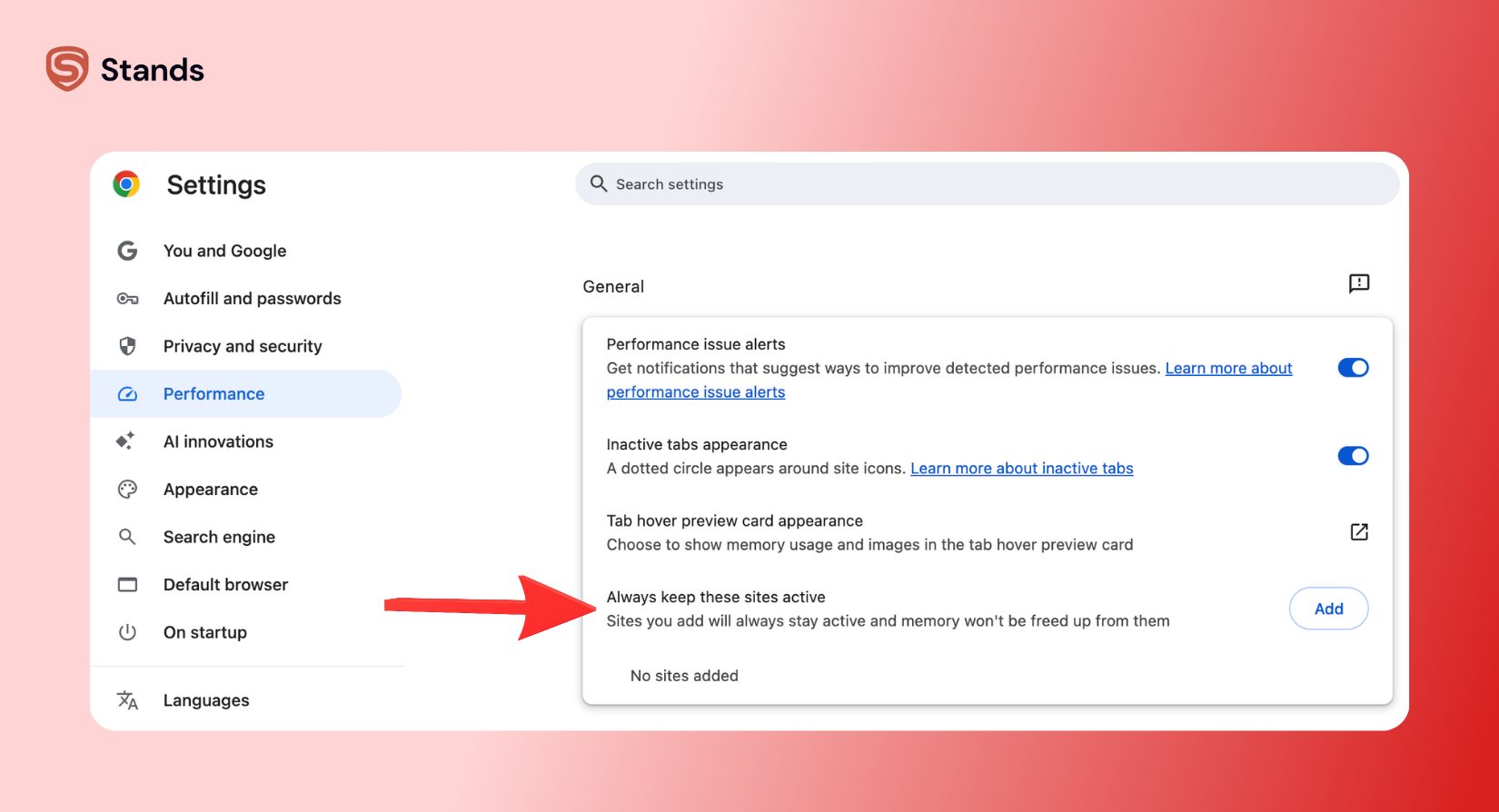
This keeps Chrome from freezing your background music or long playlists.
Clear Cache and Cookies
Old browser data can break video player code and freeze your stream.
- Press Ctrl + Shift + Delete on Windows or Cmd + Shift + Delete on Mac.
- Pick a time range of All time.
- Click Clear data and restart your browser.
Clearing old files fixed my script errors and made my stream run smoothly again.
Check Physical Connections
Loose cables send stop signals to your media player.
- Check your headphone jack and USB ports to make sure cables fit tight.
- Reconnect your Bluetooth headphones if the sound drops out.
- Turn off custom media keys on your keyboard that might hit pause by mistake.
Fixing loose wires stopped my computer from pausing videos on its own.
Use Stands AdBlocker for an Uninterrupted YouTube
You should not have to fix settings every time YouTube updates its site. You need a tool built for current web standards and new ad methods.
Stands AdBlocker keeps your videos running smoothly on Manifest V3. When platforms use Server-Side Ad Insertion (SSAI), old ad blockers break and pause your video. Stands updates its filter list quickly to keep up with YouTube changes.
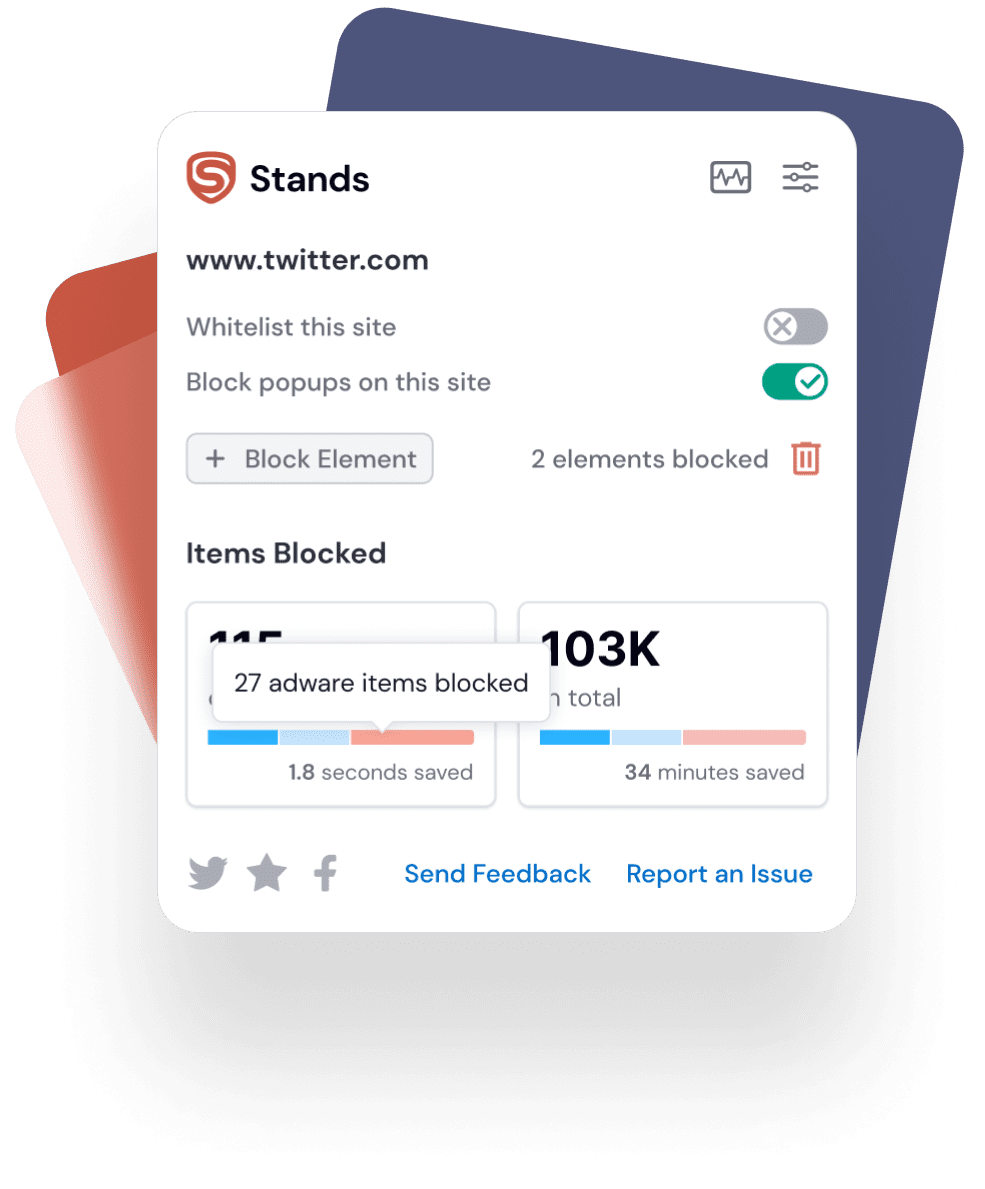
Stands also blocks heavy tracking code to save CPU power. By dropping unnecessary scripts early, your browser uses far less memory. This fix speeds up your browser and helps stop YouTube pausing caused by high memory use.
Try a better browser setup today. Download Stands AdBlocker to enjoy uninterrupted videos without ads on all your favorite channels.
FAQs: Solving the YouTube Auto-Pause Mystery
How do I disable the "Video paused. Continue watching" prompt?
Open YouTube, go to Settings > General, and turn off Remind me to take a break. For desktop fixes, check tips on Reddit's disabling continue watching popup guide for user scripts.
Why does my YouTube playlist stop playing after a few songs?
Chrome Memory Saver likely froze the tab. Make sure Autoplay is turned on inside the player, and add youtube.com to your Chrome performance exclusion list.
Can an adblocker cause YouTube to pause videos?
Yes. Old ad blockers conflict with YouTube's real-time script checks, causing sudden freezes. Updating your filters or using an extension built for Manifest V3 fixes these random stops.

