Home »
Ads on ChatGPT: What You Need to Know
I opened ChatGPT the other day to write a quick email and plan my meals for the week. But instead of the plain chat screen I use every day, I saw something brand new right inside my answer: a sponsored box with an ad.
If you saw this on your screen too, you know the feeling. Ads have officially come to ChatGPT and AI tools. When I first saw them, I wanted to know exactly why they were there and what had changed. We got used to AI feeling like a “quiet, private workspace”, so seeing commercial ads inside a chat response feels like a major shift in how these tools work.
In this guide, I want to show you what these ads actually look like, why companies build them into the chat stream, and what you can do to control your own chat space. :)
What Do ChatGPT Ads Actually Look Like?
Ads in chat apps and browsers do not look extremely different from normal banner ads or video pop-ups on social media. However, as AI talks with you in a running conversation, OpenAI builds ChatGPT ads to blend right into the chat messages.
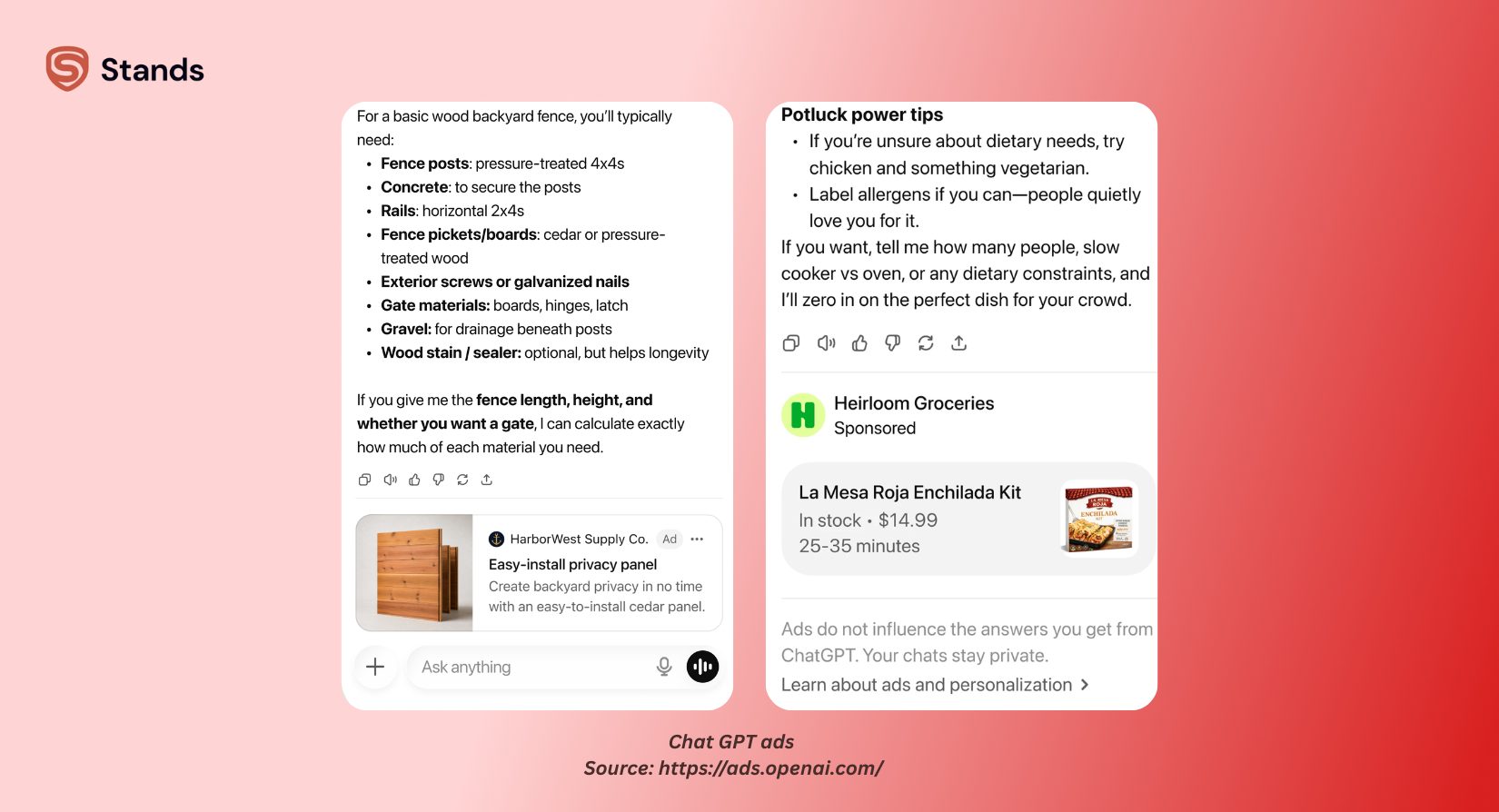
Instead of big side banners, you usually see ads in a few clear ways:
- Promoted links in answers. When you talk about specific apps, tools, or brands, the AI puts direct referral links right inside its text message.
OpenAI shares its basic ad rules in its official Ads on OpenAI Documentation. The team also explains how users can control their options in its ChatGPT Ads Help Article. These pages show how OpenAI adds commercial links while keeping basic safety rules in place.
What’s the Problem with GPT Ads
Ads in a helpful chat tool create real friction. Putting ads into ChatGPT brings up few real issues with how you use the app, how your data gets handled, and whether you get honest answers:
1. Hard to tell advice from ads
The main issue with AI ads comes down to bias. I'm sure it's not just me, but when I ask an assistant for advice, I want an honest answer based on facts. It gets hard to tell if a tip is genuinely the best option or just a paid placement when companies mix sponsored products directly into chat responses.
2. Interruptions and messy screens
Reading an AI answer takes focus, unlike scrolling past an ad on a news site. Promoted links break your reading flow and clutter up answers with unwanted links.

3. Data privacy and targeted ads
I'm sure you already know that, but to show relevant ads, ad networks use your data. First, chat platforms look at your chat history and search intent to figure out what ads to show you. And now advertisers can use your prompts to target you with product links, which raises clear privacy questions.
4. Slowing down your work
I use AI as a fast research helper. Sorting through paid links to find basic facts slows me down and adds extra steps to daily work.
To learn more about how AI tools change the way you browse the web, check out my guide on AI Browsers and the Future of Web Browsing.
How to Minimize or Avoid Ads
Even though ads in free AI tools are growing, you still have direct ways to manage them. Here are simple steps I use to reduce, avoid, or handle ads inside ChatGPT and across your browser:
1. Change your privacy settings
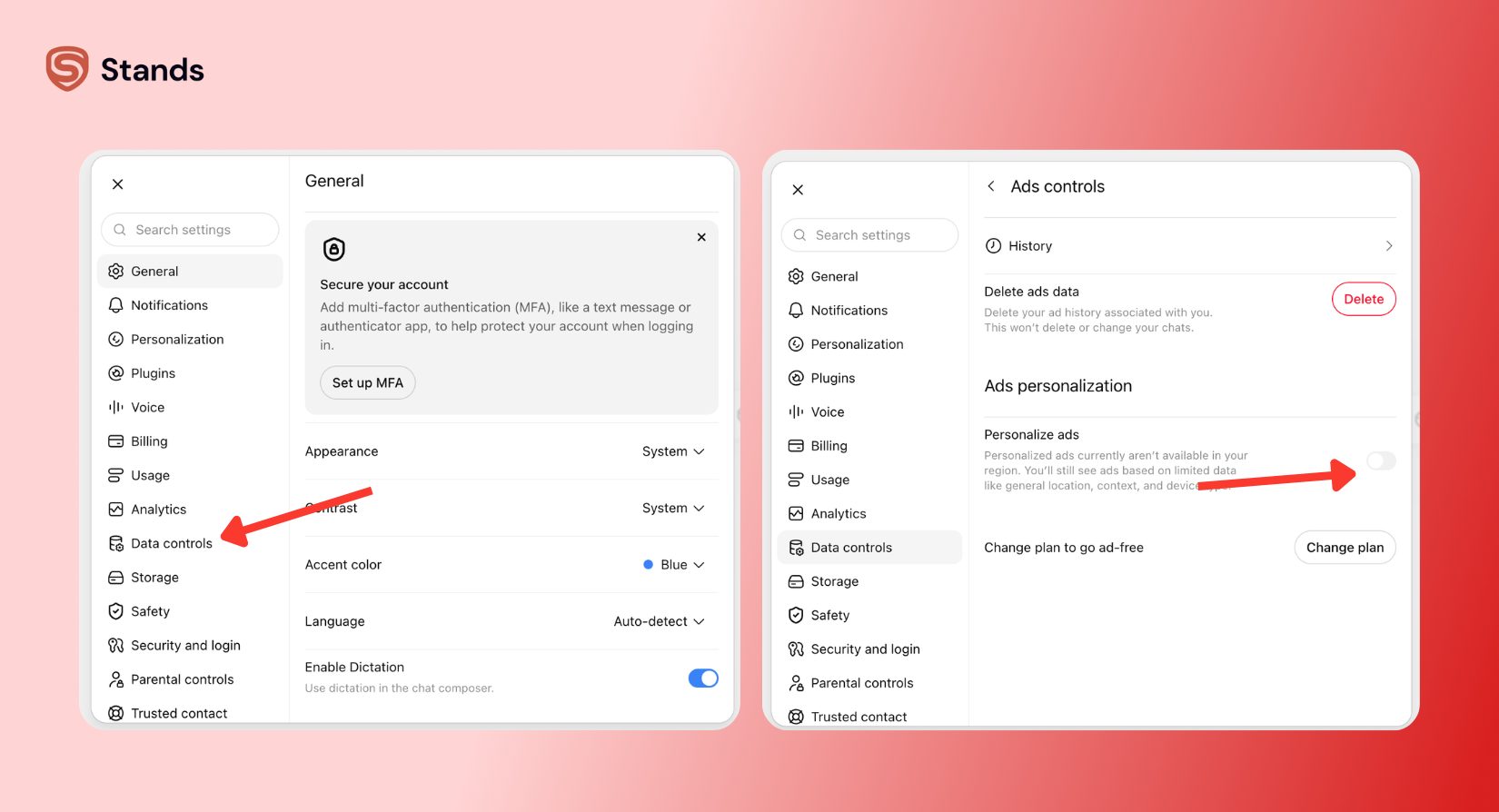
OpenAI gives you privacy controls right inside your account settings. You can change your options to limit how the company uses your chat data for ads and training:
- Click Settings > Data Controls.
- Check your choices for chat history, model training, and ad preferences.
- Turning off personalized ads will not remove ads completely, but it makes sure ChatGPT shows generic ads instead of ads picked from your private chats.
2. Move to a paid plan or reduce message limits
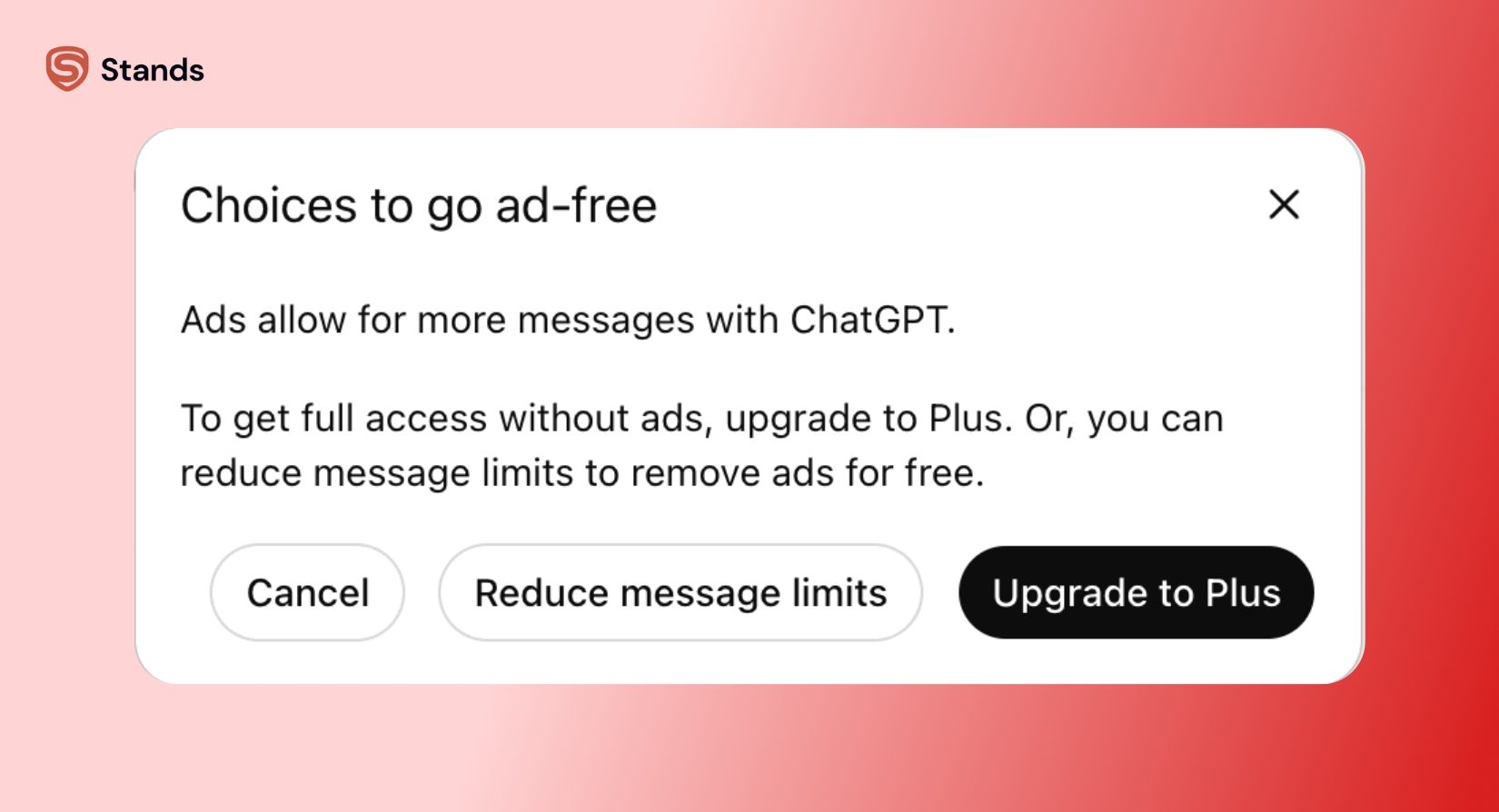
OpenAI gives you two options here. Paying for a plan like ChatGPT Plus or Business is the most direct way to remove ads completely. Subscription money pays for server costs directly, so OpenAI gives paying members a completely ad-free screen.
Another option is to reduce message limits so you can still have your chat without ads and without paying extra.
3. Change how you ask questions
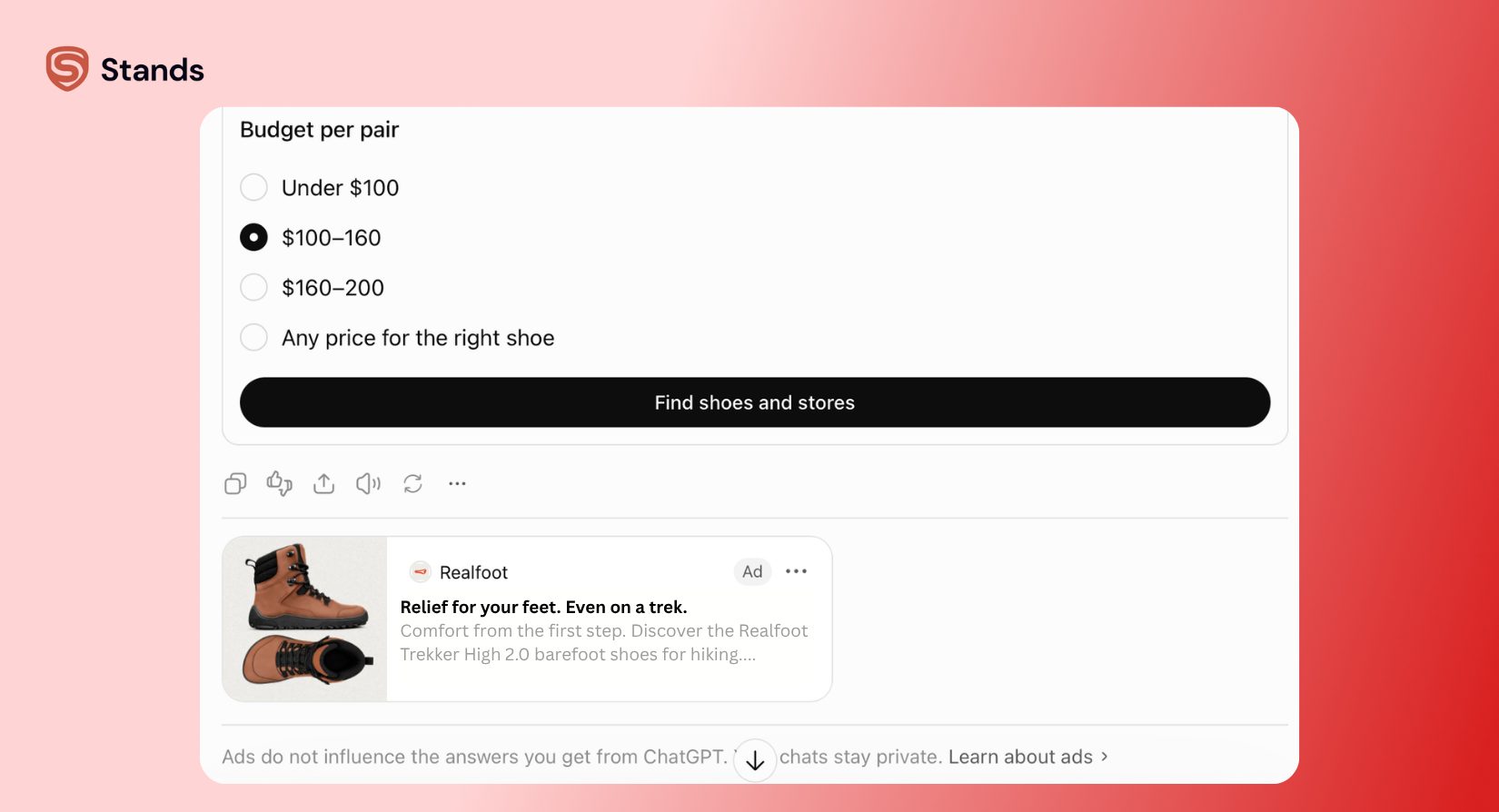
Shopping questions trigger the most ads. If you ask big questions like "What are the best running shoes?" or "Recommend a hotel in Paris," the system shows sponsored picks much more often.
To keep your answers free of ads:
- Ask for plain facts, history, or how-to steps instead of brand names.
- Ask for comparisons using only details you type in (like "Compare these two laptop processors using these benchmark numbers").
- Tell the chat directly: "Give me an answer with zero ads or brand links."
4. Clean up your web browser
Simple as that, using a good ad blocker extension is one of the best ways to keep your daily web browsing fast, private, and clean. Tools like Stands AdBlocker for Chrome work great to block annoying pop-ups, trackers, and banner ads on millions of websites.
I want to let you know that Stands Adblocker does not block inside-chat ads on ChatGPT yet. Because AI servers create these ads directly inside live text messages, blocking them takes special new filter rules. But our team is hard at work testing these new AI ad formats, and we plan to add ad-blocking support for AI chats in an upcoming release!
What’s Next for Your Chat?
Seeing ads in ChatGPT shows a big turning point for AI tools. As free AI models keep growing, ads will play a big role in keeping these tools open to everyone for free.
Still, free tools should work for you, not against you. You can keep your chat space clean when you know how to work with your privacy settings, how ad targeting works in LLMs, and how to use reliable browser tools.
While AI companies try out new ad ideas, Stands team is fully focused on protecting your privacy and keeping your browsing clear. Keep your browser light, check your settings, and look out for our new updates as we expand our ad blocker to cover more tools and platforms! :)