Home »
What Is Cryptojacking?
Have you ever opened a website to read an article, only to hear your computer's fans suddenly start roaring? Your browser freezes, your mouse stutters, and your battery dies super fast. When you open your task manager, you see your browser using 100% of your computer's brain (the CPU).
You didn't download any bad files or click any weird links, so what happened?
You might be dealing with cryptojacking! This happens when hackers secretly use your computer to mine cryptocurrency without asking you.
In this easy guide, we will explain what cryptojacking is, how it sneaks into your web browser, how to spot it, and how to stop it. Let's get into it! :)
What Is Cryptojacking? (Definition and Meaning)
It's all pretty simple. As you can see, the word is formed by combining "cryptocurrency" and "hijacking." The definition of "cryptojacking" is when someone uses your computer, phone, or tablet to mine cryptocurrency without your permission.
Regular computer viruses usually try to steal your photos, read your passwords, or lock your files for ransom. Cryptojacking malware is different. It doesn't want your private files, but your computer's power, battery life, and electricity!
Hackers hide a small piece of computer code on a website, inside an ad, or inside a browser extension. The code runs automatically when you open that page. It forces your computer to solve hard math problems to create digital coins for the hacker :)

Cryptojackers love coins that keep transactions secret. Their favorite coin is Monero (XMR). Bitcoin requires giant, expensive server computers to mine. But Monero can easily run on standard home computers and laptops. Monero is also completely untraceable, so nobody can see who stole your power!
| Feature | Regular Crypto Mining | Cryptojacking |
| Permission | You choose to mine coins | Hackers steal your power without asking |
| Equipment | Your own computer or mining gear | Stolen power from unsuspecting web users |
| Electricity Bill | Paid by the miner | Paid by you! |
| Impact | Planned and controlled | High CPU usage, hot laptop, slow web browser |
Cryptojacking vs. Regular Crypto Mining
For a better understanding of the matter, let's do a quick comparison.
Real crypto mining is a legal process that keeps digital currencies working safely. These "miners" spend thousands of dollars on powerful equipment, pay large electricity bills, and set up special cooling systems to mine coins legally.
The big difference is permission. Real miners use their own gear. Cryptojackers sneak onto your computer to do the exact same heavy lifting. The hackers keep 100% of the digital money, while you pay for the extra electricity and wear down your computer!
How a Cryptojacking Attack Works in Your Browser
It's not something you can face every day, but it definitely can happen to all of us. In-browser cryptojacking uses regular tools built into every web browser. When you surf the web, your browser runs JavaScript code to show you videos, buttons, and animations. Cryptojackers exploit this by hiding a lightweight mining script inside that normal page code.
| Step | Action / Trigger | Result |
| 1 | You visit a web page or ad | The page starts loading in your browser |
| 2 | Browser runs JavaScript | The browser reads and executes hidden page scripts |
| 3 | Mining script starts working | The script opens a secret background connection |
| 4 | CPU usage hits 100% | The hacker gets free Monero coins |
Because the script runs right inside your web browser, it doesn't need to save files onto your hard drive. It doesn't even need to bypass your regular antivirus software. As long as you keep that web page open, the miner keeps running!
Hidden Miners on Websites and in Ads
How do these hidden miners end up on everyday websites? Hackers usually use three simple tricks:
- Hacked Websites: Attackers find websites with old or weak security. They break in and paste malicious JavaScript into the site's code. Every person who opens that website starts mining coins for the hacker automatically :)
- Malicious Ads (Malvertising): Cryptojackers buy regular ad space online. They hide their mining code inside the ad image. When the ad loads on a popular site, the script runs immediately—even if you never click on the ad! Experts call this drive-by mining.
- Infected Chat or Analytics Tools: Many websites use external tools for live customer chat or visitor stats. If a hacker infects just one popular chat tool, they can run mining scripts on thousands of different websites all at once!
Browser Extensions That Mine in the Background
Another sneaky trick involves malicious extensions. Hackers create helpful browser tools—like free PDF converters, weather checkers, or price trackers. Sometimes they buy popular extensions and add hidden mining code in a background update!
Once you install a bad extension, it runs silently in the background. While a normal website miner stops when you close the tab, a bad extension keeps mining whenever your browser stays open :)

In-Browser Mining vs. Installed Mining Malware
There's a pretty clear difference between the one and the other.
- In-browser mining: runs through JavaScript inside a browser tab or extension. It downloads no files, leaves no trace on your computer drive, and stops when you close the tab or turn off the extension.
- Installed mining malware: enters your system through dangerous file downloads or fake updates. It installs actual program files, starts automatically whenever you turn on Windows or Mac, and mines coins all day long.
A Short History of Browser Cryptojacking
In-browser mining became famous in September 2017 when a service called Coinhive launched.
Coinhive originally built its tool as a friendly alternative to website ads. The idea was simple: instead of showing annoying pop-ups, websites could run a small Coinhive script. Visitors would donate a little bit of spare computer power to mine Monero while reading, giving website owners an ad-free way to make money :)
"Coinhive started as a creative idea to replace annoying ads, but bad actors quickly turned it into a web-wide threat."

Hackers abused the tool almost immediately. They broke into thousands of websites to add Coinhive code without telling visitors. Soon, drive-by mining hit government pages, university sites, and major news portals.
By early 2019, browser cryptojacking dropped sharply because:
- Crypto prices fell, making small-scale browser mining far less profitable.
- Free ad blockers and security tools added Coinhive to their blocklists.
- Monero updated its network to make browser mining much less efficient.
Coinhive closed down in March 2019, but drive-by mining didn't disappear completely. Hackers still build custom JavaScript miners today to dodge security filters.
How to Detect Cryptojacking
Of course, I would love to have a big warning pop-up on my screen saying that. But well, it doesn't...
So you have to watch out for some "red flags".
- At the top of the list is bad performance. Your computer stutters with typing lags, or / and new browser tabs take forever to open.
- Hot laptop & loud fans follow. Mining makes your processor work overtime and generate intense heat. If your fans start blasting while you read a simple text page, something is wrong :)
- Fast battery drain comes next. Heavy browser mining can drain a full laptop battery in under an hour.
- Slowdowns linked to one tab. Closing a specific web tab instantly makes your computer quiet and fast again.
| Task | CPU | Memory | Network |
| Tab: Article Page (Hidden Miner) | 98.4% | 412 MB | 12 KB/s |
| Extension: Weather Tracker | 0.1% | 45 MB | 0 KB/s |
| Tab: Work Email | 0.5% | 120 MB | 0 KB/s |
| Browser Process | 1.2% | 210 MB | 0 KB/s |
Checking Your Task Manager
I couldn't recommend it enough. Just a few seconds of your time, but it brings extreme peace.
- Windows: Press Ctrl + Shift + Esc to open Task Manager. Look at the CPU column. If your browser sits between 80% and 100% while you are doing light reading, a miner is likely running.
- Mac: Press Cmd + Space, type Activity Monitor, and press Enter. Click the % CPU column to see what is hogging your processor.
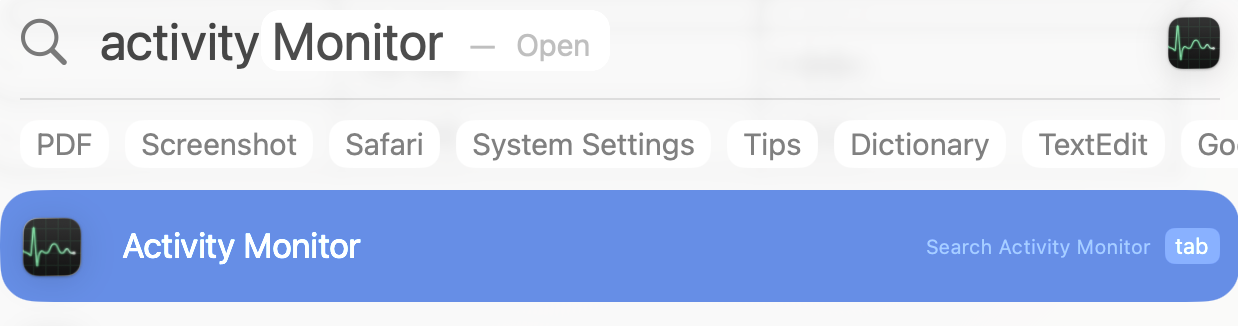
3. Chrome/Edge Task Manager: Press Shift + Esc inside your browser to view CPU usage for every individual tab and extension, so you can spot the bad tab instantly :)
Is Cryptojacking Harmful or Illegal?
Some people think cryptojacking isn't a big deal because it doesn't steal passwords or delete photos. But it still causes real problems!
First, it causes hardware wear. Running your laptop processor at full speed for hours generates intense heat. Overheating stresses internal components, swells lithium batteries, and shortens your computer's lifespan.

Second, it costs real money. Continuous high-power computing drives up your electric bill. When hackers target business servers or cloud systems, power bills jump by thousands of dollars!
Third, cryptojacking is completely illegal. Accessing or using someone's computer system without permission breaks computer crime laws all over the world.
How to Stop Cryptojacking in Your Browser
You don't need tech skills to stop mining in your browser, if you follow this:
- Close the problematic tab. If your computer heats up on a specific website, close that tab immediately! In-browser miners need an open page to run, so closing the tab kills the script instantly.
- Check your extensions and delete anything you don't use or trust. If you use Chrome, learning how to manage Chrome extensions helps you clear out risky background tools :)
- Keep your browser updated as developers push regular updates to fix security holes and block new threats. Always install updates right away!
- Turn off JavaScript (but only when needed). Since in-browser mining relies on JavaScript, turning it off stops miners cold. However, this breaks most modern websites, so use it selectively on untrusted pages.
- Use smart security extensions that monitor network traffic and block dangerous connections gives you the easiest protection against "drive-by threats".

When a Free Ad Blocker Helps
While traditional antivirus software scans files on your hard drive, an ad blocker works inside your browser—making it your strongest shield against hidden web miners!
Understanding how ad blockers work shows why they work so well here. Modern blockers inspect web traffic before pages load, matching incoming scripts against updated filter lists of known ad servers, trackers, and malicious scripts.
| Stage | Trigger / Action | Process | Outcome |
| 1 | Web Page Tries to Load | Request sent through browser | Intercepted before execution |
| 2 | Ad Blocker Filter Engine | Checks URL & scripts against blocklists | Blocked! Hidden miner stopped |
| 3 | Clean Page Opens | Safe content renders normally | Fast browsing without high CPU usage |
When you install a reliable free ad blocker like Stands, the extension blocks connections to mining pools and dangerous ad servers in real time :)

With dedicated filter lists, an ad blocker for Chrome or other major browsers keeps your system safe by:
- stopping drive-by mining ads. Stands intercepts bad ad campaigns before the mining code ever runs.
- updating blocklists automatically. It keeps filter lists fresh with newly identified miner domains.
- saving CPU power. Blocking heavy ads, pop-ups, trackers, and scripts keeps your computer running cool, quiet, and fast.
- improving web security. It stops malicious scripts at the door, which protects your system, showing the clear link between ad blocking and malware prevention.
With basic web awareness and a solid ad blocker working for you, you can browse freely without worrying about sneaky miners stealing your computer's power!