Home »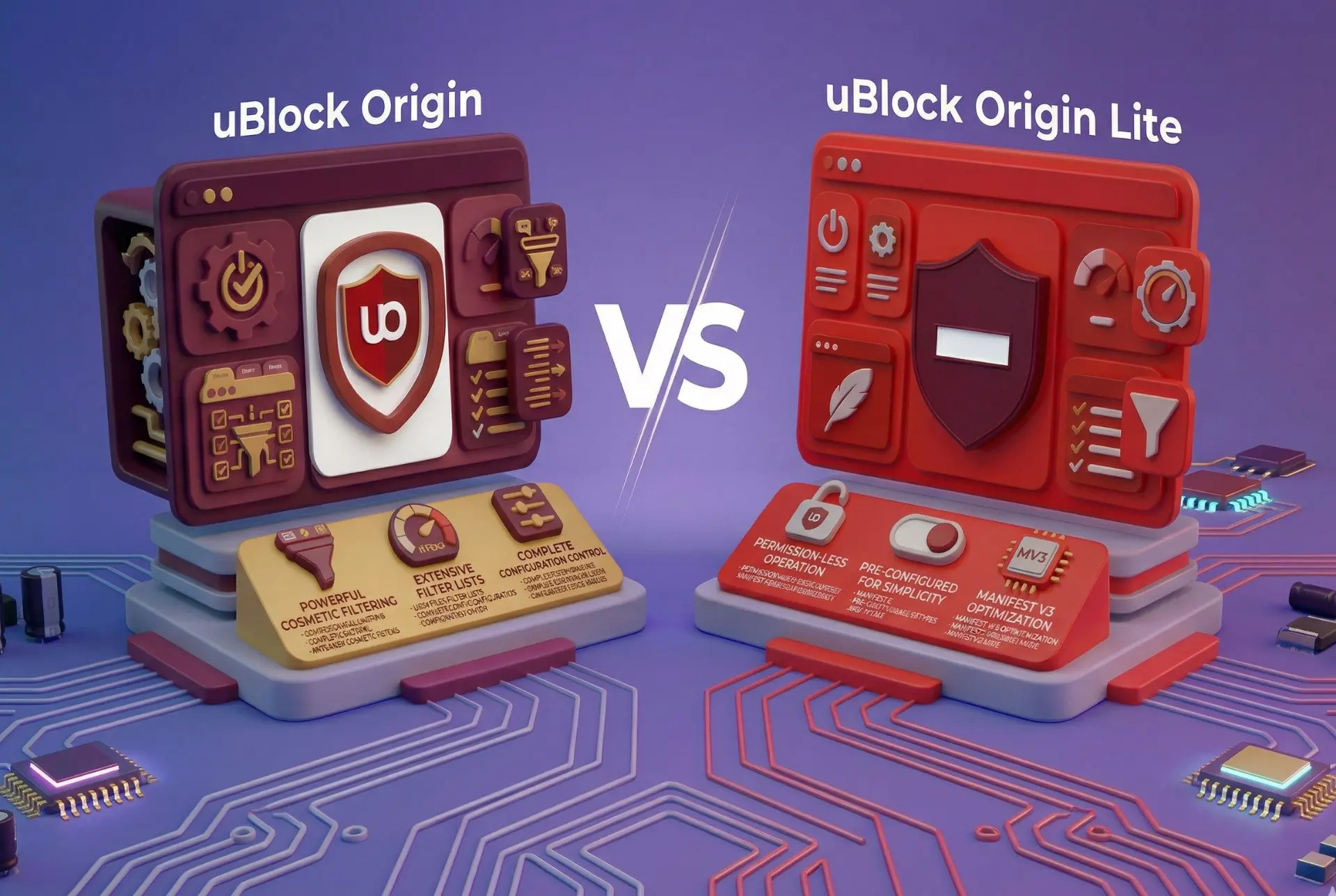
uBlock Origin vs uBlock Origin Lite: Full Comparison for 2026
If you’ve been searching for “ublock origin vs ublock origin lite” or “ublock origin lite vs ublock origin differences”, chances are you’ve run into a wall of conflicting takes. Some say Lite is “good enough.” Others claim it’s a watered-down version that barely holds up.
The truth, however, sits somewhere in the middle.
The shift to Manifest V3 didn’t just tweak how ad blockers work, but it rewrote the rules entirely. What used to be a powerful, flexible system is now more locked down, especially on Chrome. That’s why comparing uBlock Origin vs uBlock Origin Lite (2026) is more about understanding what each version can and can’t do in the browser ecosystem.
Let’s break it all down in a way that actually makes sense.
- What are uBlock Origin and uBlock Origin Lite
- Key Differences Between uBlock Origin and uBlock Origin Lite
- uBlock Origin Lite Filtering Modes: Basic, Optimal, Complete, and Scope
- Ad Blocking Performance Compared
- Performance and Resource Usage
- Privacy and Tracker Protection
- Browser Compatibility in 2026
- Customization and User Control
- uBlock Origin vs uBlock Origin Lite vs Stands AdBlocker: How They Compare on Chrome
- Which Should You Choose: uBlock Origin or uBlock Origin Lite
- Conclusion: uBlock Origin vs uBlock Origin Lite (2026)
What are uBlock Origin and uBlock Origin Lite
uBlock Origin — The Full Version
The original uBlock Origin is what most people think of when they hear “uBlock.” It’s open-source, lightweight, and incredibly powerful under the hood. Developed by Raymond Hill back in 2014, it quickly became one of the best ad blockers around.
What made it stand out wasn’t just its ability to block ads, but the level of control it gave users.
You could fine-tune everything:
- Block or allow scripts per site
- Create custom filtering rules
- Use advanced filter lists
- Remove page elements manually
- Bypass anti-adblock scripts
It was a full-on content filtering engine.
Before Google’s changes, the original version had over 29 million users on Chrome alone and more than 10 million on Firefox. Today, it’s still alive and kicking — especially on Firefox, where it remains the gold standard for ad blocking.
But here’s the moment that changed everything:
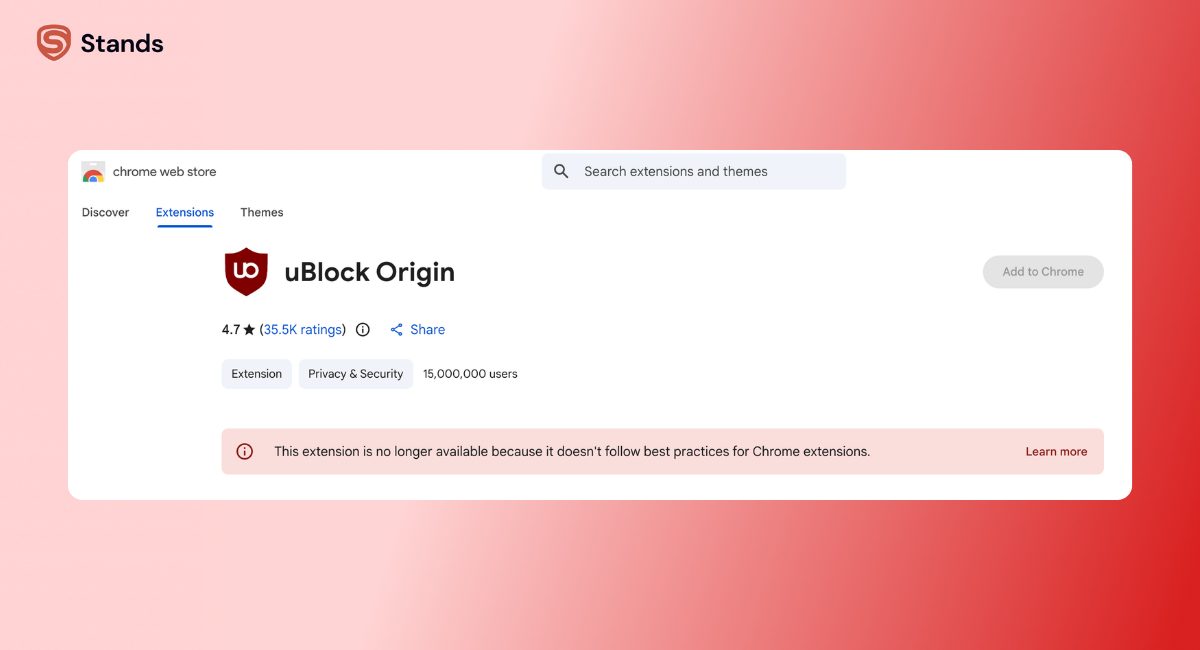
uBlock Origin relies on Manifest V2, which Chrome no longer supports.
As of March 2025, the original extension was removed from the Chrome Web Store. That’s why so many users started looking into alternatives, and why the Lite version exists.
uBlock Origin Lite — The MV3 Adaptation
uBlock Origin Lite is not just a trimmed-down version. It’s a complete redesign built to comply with Chrome’s Manifest V3 rules.
Instead of actively filtering traffic like the original, Lite uses the browser’s Declarative Net Request (DNR) system. That means the extension can only apply pre-defined rules, rather than reacting dynamically to what’s happening on a page.
In practical terms:
- No dynamic filtering
- No custom scripting
- No real-time adjustments
The upside? It’s incredibly lightweight.
There’s no background process running constantly. The browser handles most of the heavy tasks, which means lower CPU usage and better performance on low-end devices.
As of March 2026, uBlock Origin Lite has over 15 million users on Chrome and is also available on Edge and Safari. It even made its way to iOS, which the original never did.
Still, it’s not without controversy. Raymond Hill himself pulled Lite from the Firefox Marketplace in August 2025, signaling that it doesn’t align with the original vision of uBlock Origin.
uBlock Origin vs uBlock Origin Lite vs uBlock — What's the Difference
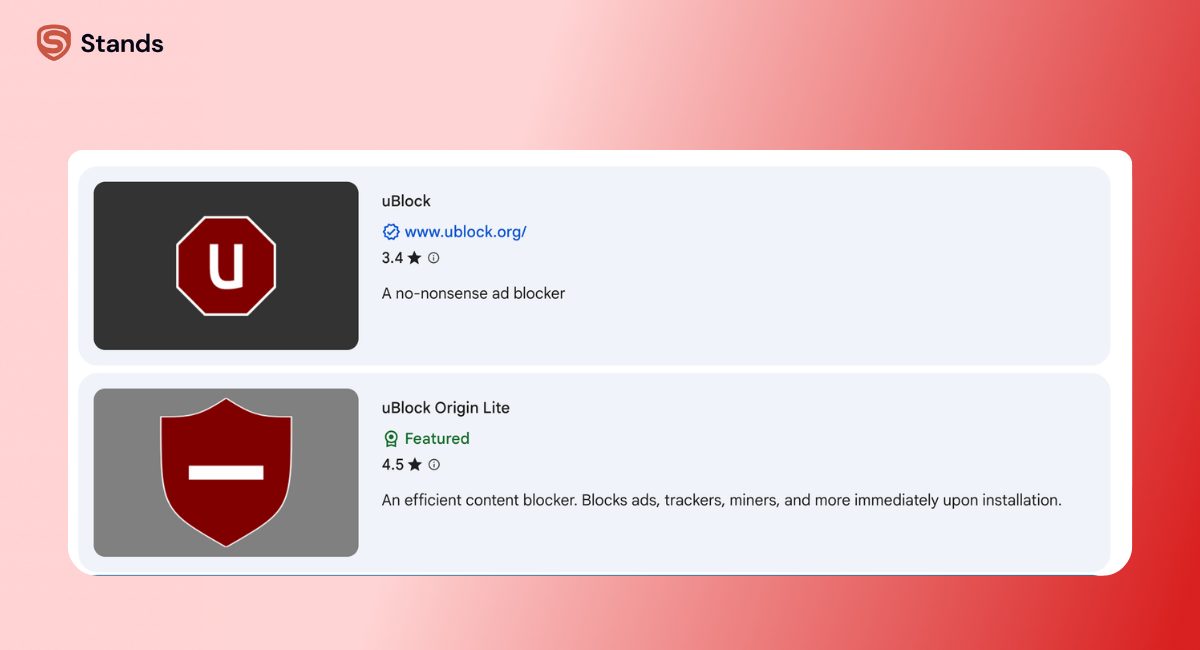
Let’s clear up a common mix-up, because this causes a lot of confusion in searches like “ublock vs ublock origin vs ublock origin lite”.
- uBlock Origin is the original, actively maintained project
- uBlock Origin Lite is the MV3-compatible version
- uBlock (without “Origin”) is a separate fork created in 2017
That last one often gets lumped into comparisons like “ublock lite vs origin” or “ublock vs ublock origin lite”, but it’s not the same product and generally isn’t recommended.
Key Differences Between uBlock Origin and uBlock Origin Lite
If you’re looking for a quick summary of UBlock Origin vs UBlock Origin Lite differences, this is where the core contrasts show up:
| Feature | uBlock Origin | uBlock Origin Lite |
| Manifest | MV2 | MV3 |
| Filtering method | Dynamic + static | Declarative only |
| Custom rules | Full support | Not supported |
| Cosmetic filtering | Advanced | Limited |
| Element picker | Yes | No |
| Anti-adblock bypass | Strong | Weak |
| Background process | Yes | No |
| Performance impact | Low | Minimal |
| Browser compatibility | Firefox, Brave, Edge | Chrome, Edge, Safari, iOS |
| User control | Full | Minimal |
The main difference between uBlock Origin and Lite goes down to flexibility. The original version adapts in real time, while Lite sticks to pre-approved rules.
That’s a big deal when you’re dealing with modern ads, which are increasingly dynamic and harder to block.
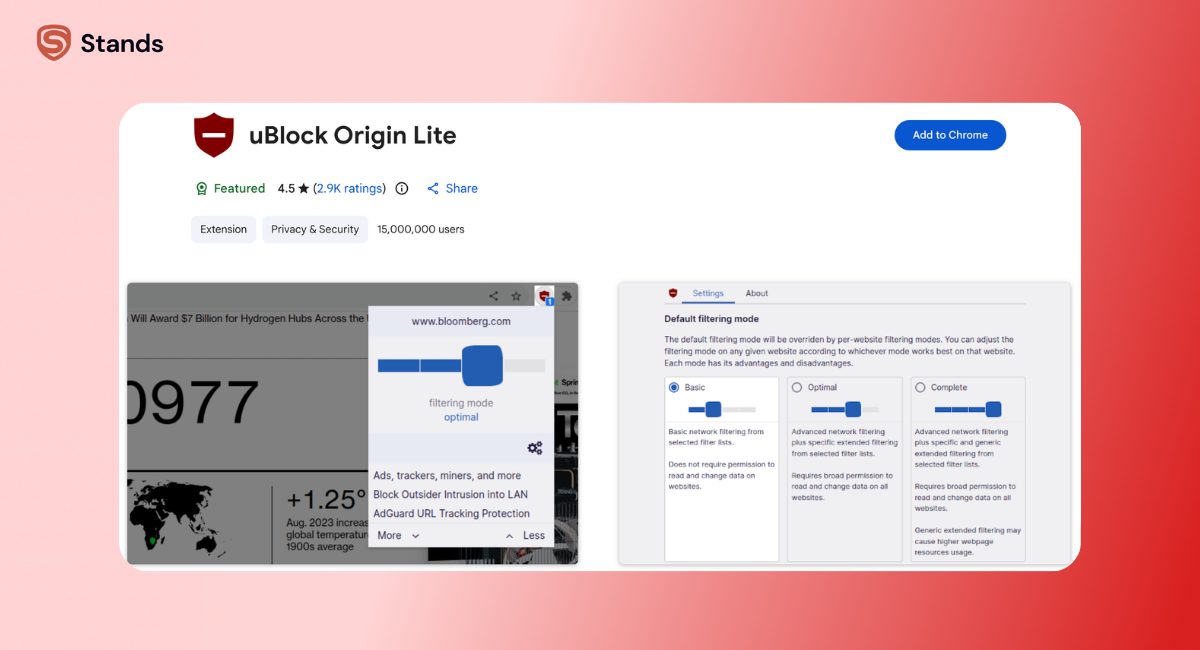
uBlock Origin Lite Filtering Modes: Basic, Optimal, Complete, and Scope
One area where Lite tries to bridge the gap is filtering modes. While it doesn’t offer full customization, it does give users a few levels of control.
Basic Mode
Basic mode is as stripped-down as it gets.
It blocks network requests using standard filter lists, but doesn’t have permission to interact deeply with web pages. That means no cosmetic filtering and minimal interference with site behavior.
It’s the safest option in terms of compatibility, but also the weakest in terms of protection.
Optimal Mode (Default)
Optimal mode is what most users will stick with.
It enables:
- Standard ad blocking
- Some tracker blocking
- Limited cosmetic filtering
This mode requires site permissions, which allow Lite to clean up visible elements to some extent. For everyday browsing, it gets the job done without breaking too many websites.
Complete Mode
Complete mode is where Lite pushes its limits.
It activates:
- Stronger cosmetic filtering
- Scriptlet-based blocking where possible
- Broader permissions for site interaction
If you’re comparing “ublock origin lite optimal vs complete”, the difference is noticeable. Complete mode removes more clutter and blocks more advanced ads, though it still doesn’t match the full capabilities of uBlock Origin.
Per-Site Scope Controls
Lite also allows per-site adjustments, which is surprisingly useful.
Some websites don’t play nicely with aggressive ad blocking. Others are loaded with trackers and need stricter filtering.
With scope controls, you can:
- Relax filtering on sensitive sites
- Tighten restrictions on ad-heavy pages
- Avoid constantly turning the extension on and off
Which mode should you choose
- Basic → maximum compatibility, minimal blocking
- Optimal → balanced everyday use
- Complete → strongest protection available in Lite
Ad Blocking Performance Compared
Standardized Test Results
When it comes to raw numbers, the difference between uBlock Origin vs uBlock Origin Lite is smaller than you might expect.
- uBlock Origin: 100/100 on AdBlock Tester
- uBlock Origin Lite: around 96/100
That gap shows up mostly in edge cases, not in basic ad blocking.
A 2026 study published in PoPETs analyzed 924 websites and found:
- No major difference in network-level blocking
- Over 20 percent reduction in cosmetic filtering effectiveness for Lite
In other words, Lite blocks requests almost as well, but struggles to clean up what’s left behind.

YouTube and Streaming Ads
Video platforms are where ad blockers really earn their keep.
On YouTube:
- uBlock Origin blocks pre-roll and mid-roll ads consistently
- Lite also blocks most ads, but may leave blank placeholders
On Twitch:
- uBlock Origin handles ads more reliably
- Lite often lets full-screen ads slip through
This happens because Lite can’t dynamically inject scripts to counter new ad delivery methods.
If you watch a lot of streaming content, you’ll notice these differences pretty quickly.
News Sites, Paywalls, and Anti-Adblock Walls
Modern websites don’t just show ads, but fight back.
uBlock Origin has tools to bypass many soft paywalls and anti-adblock scripts. It can modify how pages behave, which allows it to sneak past certain restrictions.
Lite doesn’t have that capability.
That means:
- You may see warnings asking you to disable your ad blocker
Neither version can bypass hard paywalls, but the original has a clear edge when it comes to dealing with aggressive websites.
Performance and Resource Usage
This is where Lite earns its “Lite” name.
Because it relies on the browser’s built-in systems, it has virtually no ongoing CPU or memory usage. There’s no background process constantly analyzing requests.
That makes it ideal for:
- Older devices
- Low-power laptops
- ChromeOS environments
uBlock Origin, on the other hand, does run a persistent process. But calling it heavy would be a stretch.
Thanks to optimizations like differential updates and efficient filtering, it remains one of the lightest full-featured ad blockers available.
So while Lite wins on paper, the real-world difference isn’t massive unless you’re on limited hardware.

Privacy and Tracker Protection
Privacy is where the gap widens again.
uBlock Origin
The original version goes far beyond basic ad blocking.
It can:
- Block trackers and analytics scripts
- Detect and stop CNAME cloaking
- Strip tracking parameters from URLs
- Prevent certain fingerprinting techniques
Everything runs locally, with zero data collection or telemetry.
uBlock Origin Lite
Lite still blocks standard trackers using common filter lists like EasyPrivacy. For everyday browsing, that covers a lot of ground.
But it can’t handle:
- Advanced fingerprinting methods
- CNAME cloaking
- Dynamic tracking scripts
Independent testing has shown that Lite is less effective at deep tracker blocking, even though it still respects user privacy.
Browser Compatibility in 2026
The browser you use plays a huge role in this comparison.
| Browser | uBlock Origin | uBlock Origin Lite |
| Chrome | Not available | Fully supported |
| Firefox | Fully supported | Not available |
| Brave | Supported | Limited need |
| Edge | Supported | Supported |
| Safari | Not supported | Supported |
| iOS | Not supported | Supported |
If you’re using Firefox, the choice is obvious — go with the original.
If you’re on Chrome, Lite is the only official uBlock option.
Customization and User Control
This is where the difference feels most dramatic.
uBlock Origin gives you full control over how content is filtered. You can dig into logs, tweak rules, and fine-tune behavior down to individual scripts.
It’s powerful, but it comes with a learning curve.
Lite takes the opposite approach.
There’s no dashboard, no logger, and no element picker. You choose a mode, maybe toggle a filter list, and that’s it.
For some users, that simplicity is a blessing, while for others, it feels limiting.

uBlock Origin vs uBlock Origin Lite vs Stands AdBlocker: How They Compare on Chrome
Here’s the reality many users are facing in 2026.
uBlock Origin is no longer an option on Chrome. Lite fills the gap, but it comes with trade-offs.
That’s why many users are exploring alternatives like an ad blocker for Chrome that’s built specifically for Manifest V3.
| Feature | uBlock Origin | uBlock Origin Lite | Stands AdBlocker |
| Chrome support | No | Yes | Yes |
| YouTube ad blocking | Excellent | Good | Excellent |
| Pop-up blocking | Strong | Limited | Strong |
| Anti-adblock bypass | Strong | Weak | Strong |
| Cookie banner blocking | Manual | No | Built-in |
| Ease of use | Advanced | Simple | Simple |
What Stands AdBlocker Offers
Lite exists within the limits of Manifest V3. It does what it can, but it can’t go beyond those boundaries.
Tools like Stands are designed specifically for this new environment. They focus on delivering features that users expect, even under MV3 restrictions.
That includes:
- Reliable YouTube ad blocking
- Strong pop-up protection (see this pop-up blocker for Chrome)
- Better handling of anti-adblock systems
If you’ve been researching the best AdGuard alternatives or wondering how Manifest V3 changed ad blockers, this shift explains why tools like Stands are gaining traction.

Which Should You Choose: uBlock Origin or uBlock Origin Lite
Choose uBlock Origin if…
- You use Firefox or a browser that still supports MV2
- You want full control over filtering
- You care about advanced privacy protection
- You’re comfortable adjusting settings
This is the choice for power users and anyone who wants maximum control.
Choose uBlock Origin Lite if…
- You’re using Chrome, Edge, or Safari
- You want a simple, lightweight solution
- You don’t need advanced customization
It’s ideal for users who want a set-it-and-forget-it experience.
For Chrome Users Who Want Full Blocking Without Switching Browsers
uBlock Origin Lite in Complete mode does a solid job, but it has limits, especially with streaming ads and anti-adblock systems.
If you want stronger, more consistent blocking without switching browsers, an MV3-native solution like Stands is worth considering.
It fills the gaps Lite leaves open while staying compatible with Chrome’s rules.
You can also extend protection across devices with tools like an ad blocker browser for Android.
Conclusion: uBlock Origin vs uBlock Origin Lite (2026)
At the end of the day, the comparison between UBlock Origin vs UBlock Origin Lite comes down to a simple trade-off.
The original version offers unmatched control, deeper privacy protection, and stronger ad blocking. But it’s limited to browsers that still support Manifest V2.
Lite, on the other hand, is built for the modern web — lightweight, compatible, and easy to use, but with clear limitations.
If you value control, go with uBlock Origin.
If you value convenience and compatibility, the Lite version gets the job done.
And if you’re on Chrome and want something closer to the full experience, it’s worth looking beyond both options to tools designed specifically for the MV3 era.