
 Home »
Stands AdBlocker vs uBlock Origin
Let’s be honest — the modern web can feel like an ad jungle. Pop-ups jump out of nowhere, banner ads follow you around, and YouTube ads show up right when the video gets interesting. Not exactly the smooth browsing experience most people want :)
That’s why ad blockers have become one of the most popular browser extensions today. Install one good ad blocker, and suddenly pages load faster, trackers disappear, and websites feel cleaner.
Two tools often come up when people search for the best ad blocker: Stands AdBlocker and uBlock Origin.
Both promise comprehensive ad blocking, but they’re built for different types of users. In this guide, we’ll break down Stands AdBlocker vs uBlock Origin, covering features, performance, privacy protection, and how both tools handle the big change in the browser world — Manifest V3.
Let’s take a closer look.
- What Are Stands AdBlocker and uBlock Origin
- Feature Comparison: Stands AdBlocker vs uBlock Origin
- Performance and Resource Usage
- Ad Blocking on YouTube and Social Media
- Manifest V3 and the Future of Ad Blockers
- Privacy and Data Protection
- Ease of Use and Setup
- Who Should Choose Stands and Who Should Choose uBlock Origin
What Are Stands AdBlocker and uBlock Origin
If you’ve been comparing Stands AdBlocker vs uBlock Origin, you’ve probably noticed that both tools are highly rated in extension stores.
But the philosophy behind them is quite different.
Both aim to block ads, stop trackers, and improve your web experience, but they approach ad blocking in their own way:
- Stands AdBlocker focuses on simplicity and reliable ad blocking right out of the box.
- uBlock Origin focuses on flexibility and advanced customization.
So, depending on how you like to browse, one might feel like a better fit.
Stands AdBlocker Overview
Stands AdBlocker is a lightweight ad-blocking browser extension designed to make the web cleaner without making things complicated.
You install it, turn it on, and it immediately starts blocking banner ads, pop-ups, and video ads. No complicated configuration, no digging through settings.
Key highlights:
- Completely free ad blocker
- Simple interface that’s easy to use
- Blocks ads and trackers automatically
- Optimized for Manifest V3
The goal is simple: deliver effective ad blocking right out of the box.
If you use Firefox, you can also install Stands AdBlocker for Firefox here.
Many users prefer this type of free ad blocker that works immediately — no technical knowledge required :)
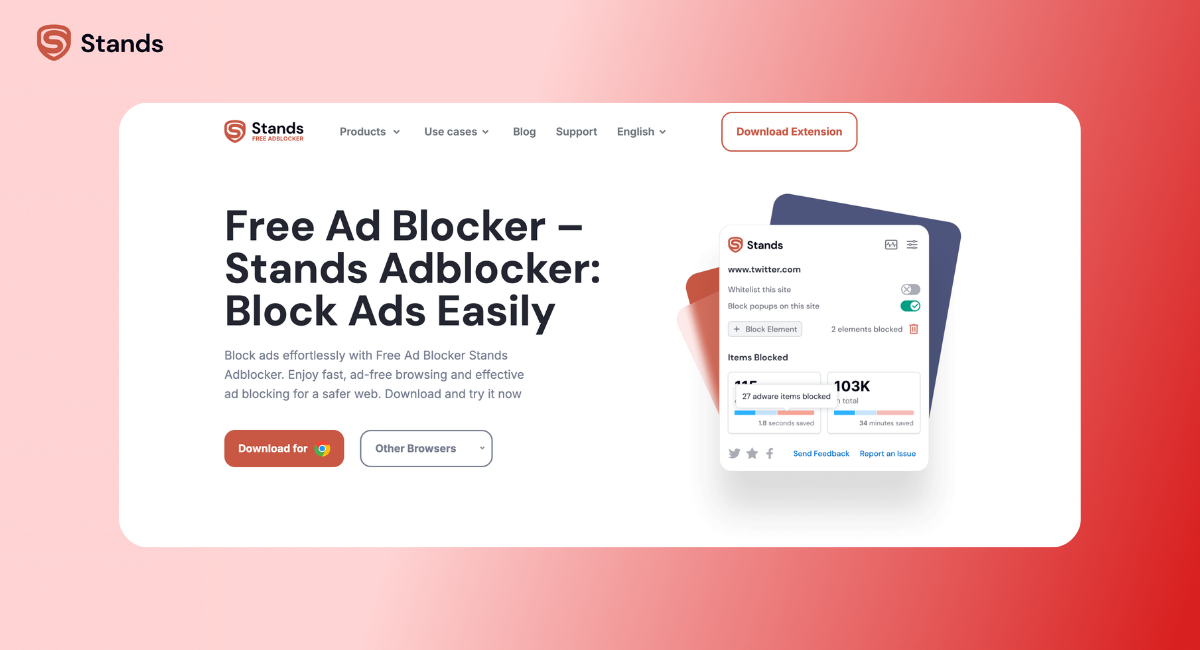
Stands AdBlocker
uBlock Origin Overview
uBlock Origin is a free and open source ad blocker that’s been around for years and has built a strong reputation among advanced users.
Instead of focusing on simplicity, it focuses on control and customization.
With uBlock Origin, users can manage:
- multiple filter lists
- custom filters
- script blocking
- element hiding
- advanced privacy settings
This makes it one of the most powerful content blocker extensions available today.
The downside? It can be a bit overwhelming for beginners. If you open the settings panel for the first time, it might feel like stepping into a control center :)
Still, for power users, that level of control is exactly what makes uBlock Origin so appealing.
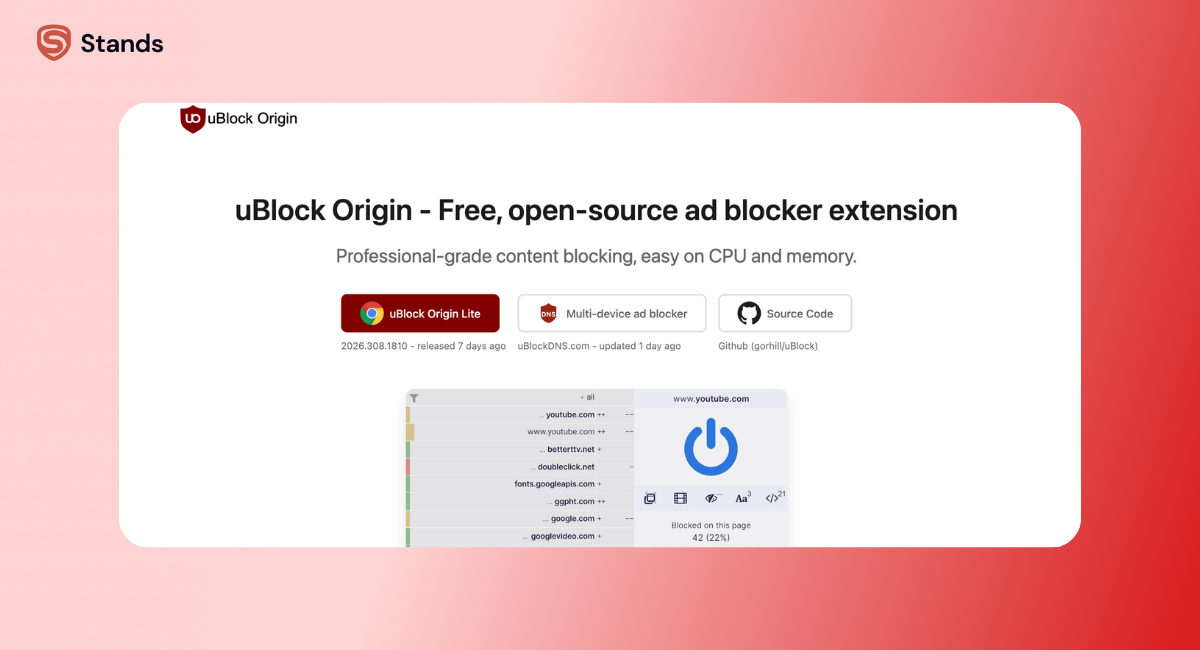
uBlock Origin
Feature Comparison: Stands AdBlocker vs uBlock Origin
Here’s a quick comparison of the core features.
| Feature | Stands AdBlocker | uBlock Origin |
| Price | Completely free | Completely free |
| Ease of use | Beginner-friendly | Advanced |
| Manifest V3 compatibility | Fully compatible | Limited on Chrome |
| Custom filter lists | Basic | Extensive |
| Script blocking | Limited | Advanced |
| YouTube ad blocking | Yes | Yes |
| Tracker blocking | Yes | Yes |
| Browser support | Chrome, Edge, Firefox | Chrome, Firefox, Edge |
In simple terms:
- Stands AdBlocker focuses on easy ad blocking that works instantly.
- uBlock Origin focuses on advanced filtering and customization.
Both are strong choices — it really comes down to how much control you want.
Performance and Resource Usage
A good ad blocker should improve performance, not slow things down.
Luckily, both Stands and uBlock Origin are known for being lightweight extensions compared to older tools like Adblock Plus or AdGuard.
Page Load Speed
When ads and trackers are blocked, websites usually load faster. That’s because the browser no longer needs to download heavy scripts or video ads.
Both extensions help with this, but their methods differ.
Stands AdBlocker uses optimized filter rules designed for Manifest V3, which keeps page loading smooth.
uBlock Origin uses powerful filtering engines and multiple filter lists, which can block very specific elements.
In practice, both deliver fast page loading and cleaner websites.
CPU and Memory Consumption
uBlock Origin built its reputation on being efficient. Even with multiple filter lists, it typically uses fewer resources than many ad blockers.
However, enabling lots of custom filters can increase memory usage slightly.
Stands takes a simpler approach, using streamlined filter rules designed for modern browsers.
The result: both tools remain effective ad blockers without noticeable performance issues.
So whether you use Google Chrome or Mozilla Firefox, your browsing experience should stay smooth :)

Ad Blocking on YouTube and Social Media
For many people, ads on YouTube are the main reason to install an ad blocker.
Pre-roll ads, mid-roll ads, banner overlays — they can quickly ruin the flow of watching videos.
Both Stands AdBlocker and uBlock Origin can block:
- pre-roll video ads
- mid-roll ads
But their approach differs slightly.
Stands AdBlocker focuses on keeping filters updated so users can block YouTube ads automatically.
uBlock Origin relies more heavily on community-maintained filter lists.
Both work well, though Stands tends to be easier for casual users who want things to work without tweaking settings.
Streaming platforms are another challenge.
For example, if you want to block Twitch ads with Stands, you can learn more here.
Social media sites like Facebook and Instagram also include sponsored posts and banner ads, which both extensions can remove.
In most cases, either tool will dramatically clean up your feed :)

Manifest V3 and the Future of Ad Blockers
A big shift happened in the browser world recently: Manifest V3.
This new extension framework, introduced by Google Chrome, changed how ad-blocking extensions can intercept network requests.
If you’re curious about the details, here’s a helpful guide on how Manifest V3 changed ad blockers.
How MV3 Changed Stands AdBlocker
Stands AdBlocker was built with Manifest V3 compatibility in mind.
Instead of relying on older APIs, it uses the declarativeNetRequest system, which allows Chrome extensions to block ads within the new rules.
This means Stands continues to work smoothly on Chrome without needing major workarounds.
How MV3 Affected uBlock Origin
uBlock Origin’s advanced filtering system relies heavily on capabilities restricted by Manifest V3.
As a result:
- the full version works best on Firefox
- Chrome users often install uBlock Origin Lite
The Lite version still provides basic ad blocking, but it doesn’t include all advanced features.
There’s one more important detail here — and it’s something many users only discover when they try to install the extension.
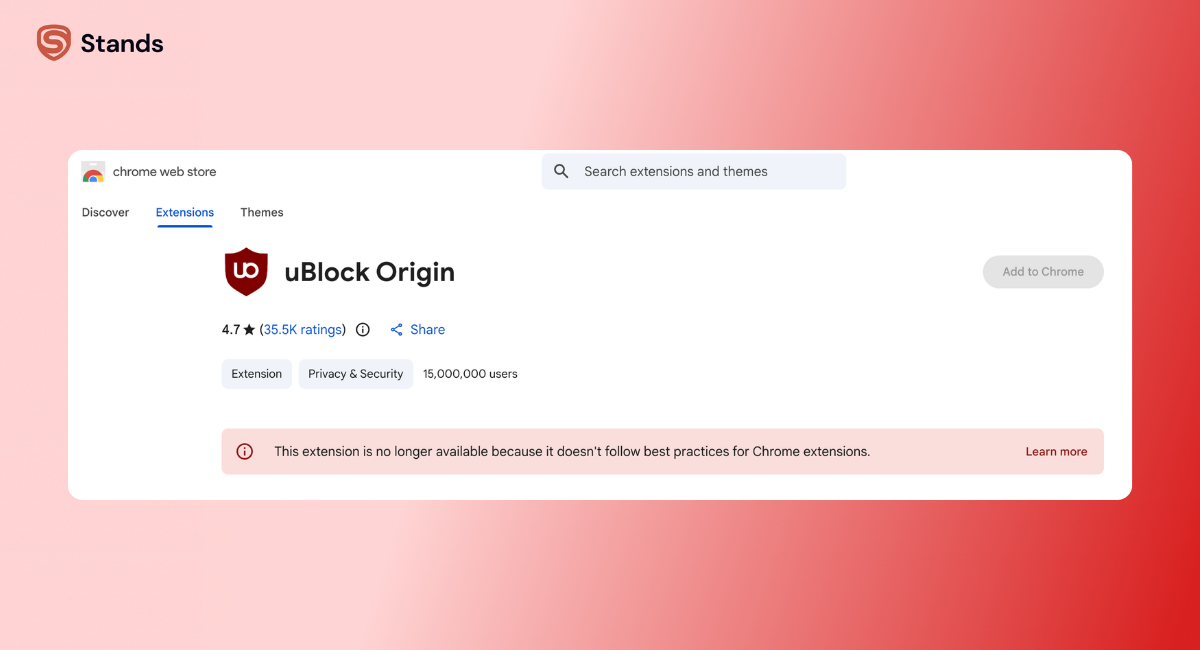
On Google Chrome, the full version of uBlock Origin is no longer available in the Chrome Web Store. Since it hasn’t fully migrated to Manifest V3, Google has effectively phased it out from the store listing. If you search for it, you’ll notice it’s unavailable for direct installation:
So what are your options?
- You can install uBlock Origin Lite, which is the simplified, MV3-compatible version.
- Or you can download the full version manually from GitHub.
But here’s the catch: installing from GitHub isn’t exactly beginner-friendly.
You’ll need to:
- download the extension files
- enable developer mode in Chrome
- manually load the extension
For experienced users, that’s manageable. For the average user… it can feel a bit like jumping through hoops :)
This is where the difference becomes very clear:
- Stands AdBlocker → install in one click from the Chrome Web Store
- uBlock Origin (full version) → requires manual installation outside the store
So if you’re looking for a free ad blocker that works right out of the box, this extra friction with uBlock Origin on Chrome is definitely something to keep in mind.
Privacy and Data Protection
Many users install ad blockers not just for fewer ads, but also for better privacy.
Both Stands and uBlock Origin help block:
- third-party trackers
- tracking scripts
- advertising networks
- invisible tracking pixels
uBlock Origin is open source, which means anyone can review the code.
Stands AdBlocker focuses on privacy-friendly ad blocking and aims to stop ads and trackers without collecting personal data.
Neither tool participates in the Acceptable Ads program, which means they aim to block all ads instead of allowing some advertising networks through.
That’s good news if you want a truly clean browsing experience :)

Ease of Use and Setup
This is where the two extensions feel very different.
Stands AdBlocker
- install the extension
- enable ad blocking
- start browsing
That’s it. The interface is simple and designed to work right away.
uBlock Origin
- detailed settings dashboard
- advanced filter management
- script blocking tools
For experienced users, this is great. For beginners, it might feel like a lot.
Which ad blocker is right for you
Choose Stands AdBlocker if you want:
- a free ad blocker that works immediately
- simple controls
- reliable YouTube ad blocking
- compatibility with Manifest V3
Choose uBlock Origin if you want:
- maximum customization
- advanced filtering
- script blocking tools
- full control over custom filter lists
If you’re exploring more options, you can also check this guide to uBlock Origin alternatives.
Who Should Choose Stands and Who Should Choose uBlock Origin
Both tools are among the top ad blocker extensions, but they’re designed for different users.
For Casual Users
If you just want to block ads and trackers without adjusting settings, Stands is a great option.
It’s:
- simple
- fast
- completely free
- designed for modern browsers
Many users consider it a better free ad blocker for everyday browsing.
For Power Users
If you enjoy customizing everything — from filter lists to scripts — then uBlock Origin is probably the better choice.
You’ll get:
- advanced filtering
- script blocking
- granular control over specific elements on pages
That flexibility makes it a favorite among technical users.
If you're comparing more tools, you might also want to read Stands AdBlocker vs Total Adblock here.
Conclusion
So, Stands AdBlocker vs uBlock Origin — which one wins?
Honestly, both are excellent free ad blockers.
- Stands AdBlocker is ideal if you want simple, reliable ad blocking without tweaking settings.
- uBlock Origin is perfect for users who want advanced customization and deep control.
Either way, installing a solid ad blocker can dramatically improve your web experience by removing banner ads, blocking trackers, and speeding up page loading.
If you want a free ad blocker that works right out of the box, Stands AdBlocker is definitely worth trying :)


